
DOWNLOAD THE APP


Customer Services
Copyright © 2025 Desertcart Holdings Limited
DOWNLOAD THE APP


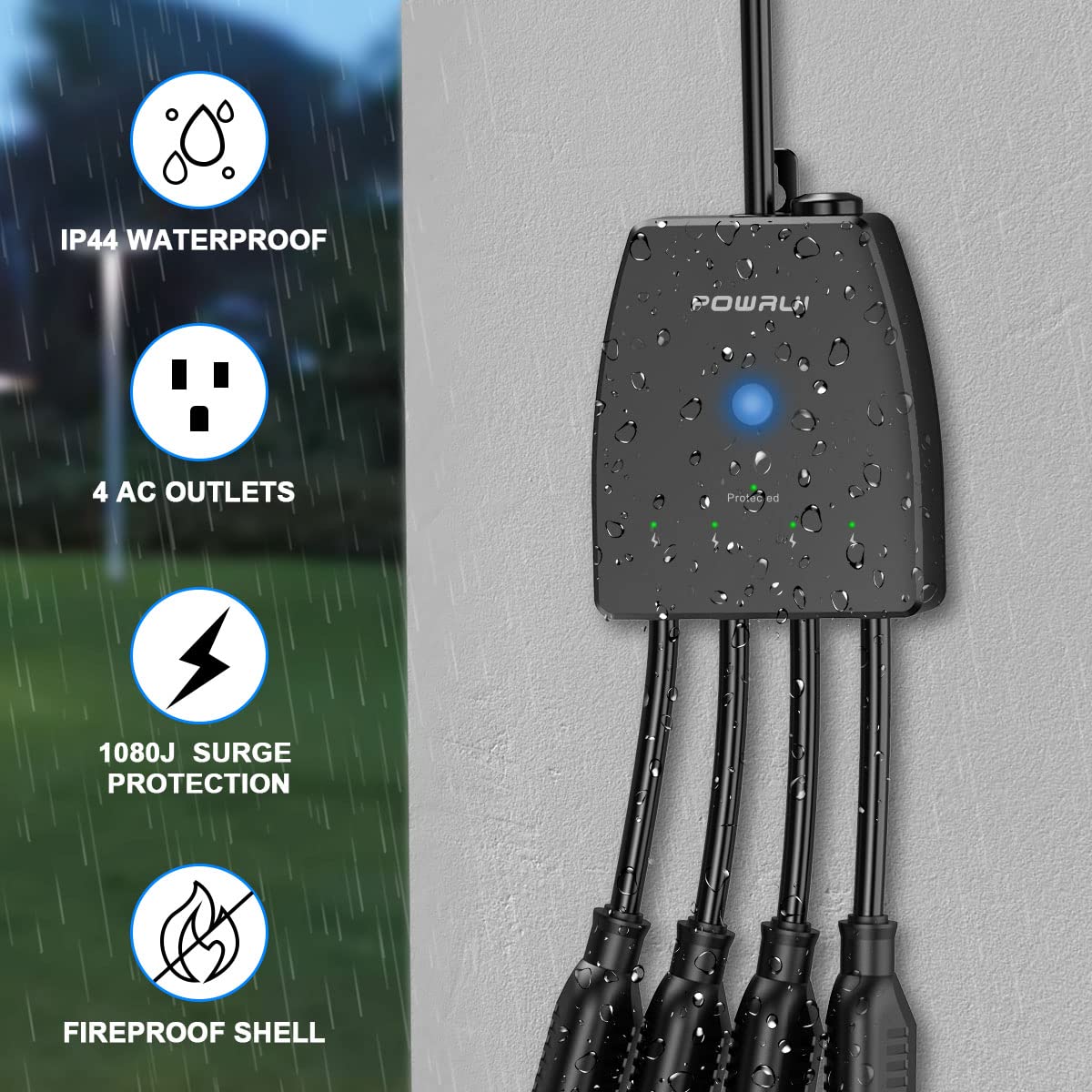
⚡ Power up your outdoors with smart control and surge-proof confidence!
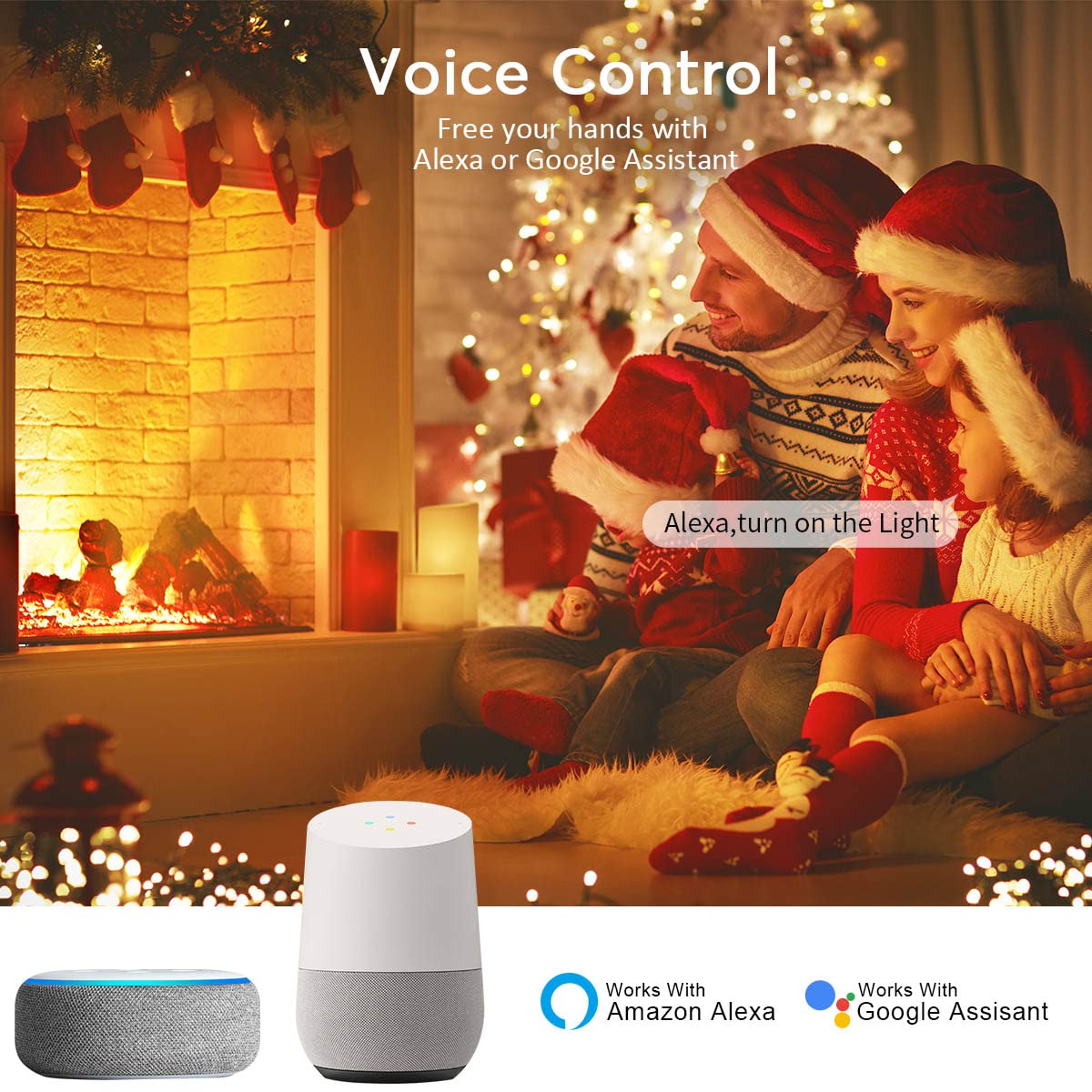
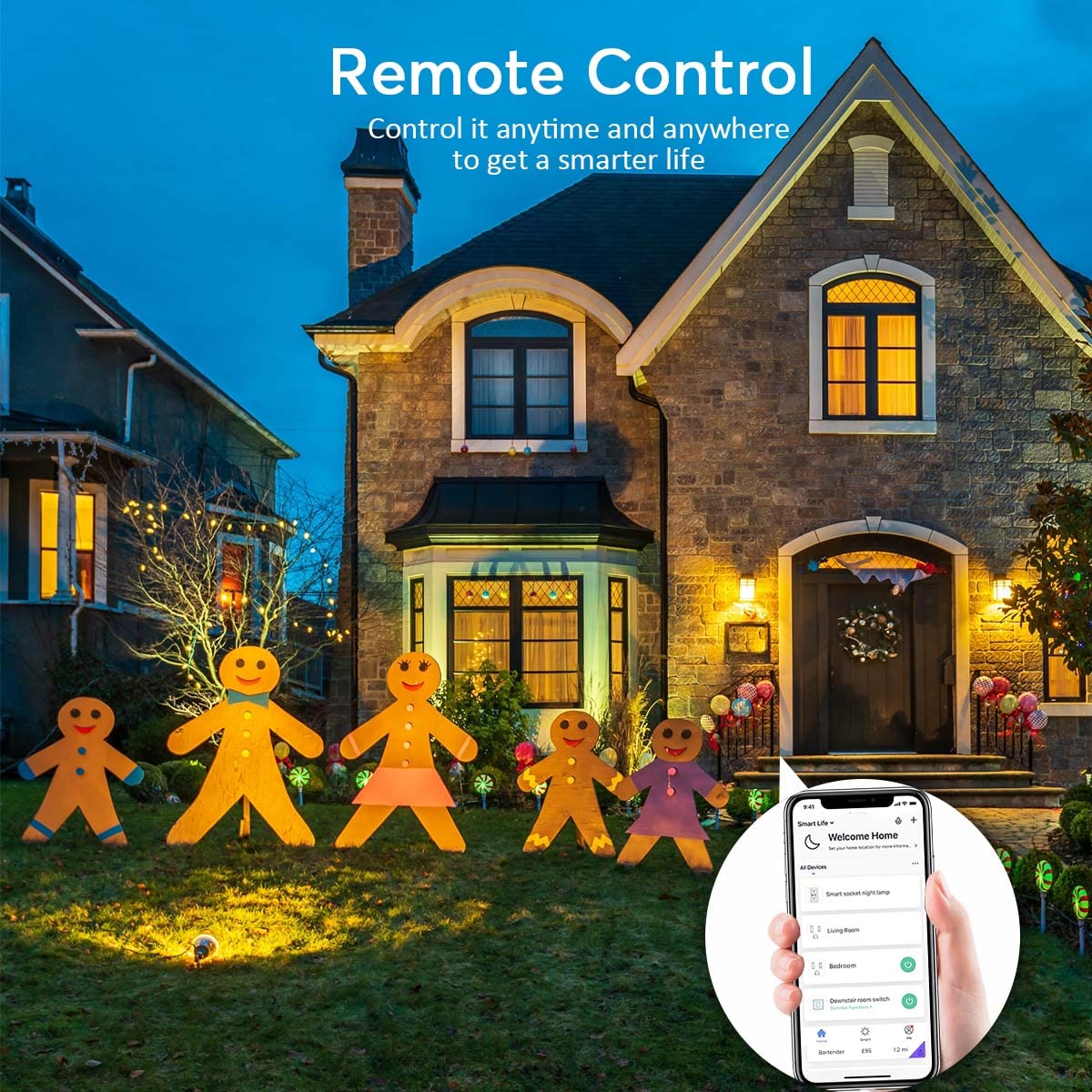
The POWRUI Outdoor Smart Plug features 4 individually controllable AC outlets rated at 15A/1875W each, protected by a 2100 Joules surge protector. Designed for both indoor and outdoor use, it boasts an IP44 weatherproof rating and fireproof PC housing. Compatible with Alexa and Google Assistant, it supports 2.4GHz WiFi for easy voice and app control, including scheduling and timers. Quick setup requires no hub, making it the perfect smart power solution for modern homes.
| ASIN | B0BJDRFY6D |
| Amperage | 15 Amps |
| Best Sellers Rank | #143,558 in Electronics ( See Top 100 in Electronics ) #2,162 in Surge Protectors |
| Brand | POWRUI |
| Color | Black |
| Compatible Devices | Air Conditioner |
| Customer Reviews | 4.2 out of 5 stars 6,515 Reviews |
| Enclosure Material | Polycarbonate |
| Item Dimensions L x W | 5.79"L x 5.51"W |
| Item Height | 0.01 inches |
| Manufacturer | POWRUI |
| Maximum Current | 15 Amps |
| Number of Outlets | 4 |
| Number of Ports | 4 |
| Other Special Features of the Product | Wireless |
| Plug Type | Type B |
| Power Plug Type | Type B - 3 pin (North American) |
| Product Dimensions | 5.79"L x 5.51"W |
| Recommended Uses For Product | Apartment, Office |
| Shape | Rectangle |
| Special Feature | Wireless |
| Surge Protection Rating | 2100 Joules |
| Total Power Outlets | 4 |
| Voltage | 125 Volts |
| Warranty Description | 1 YEAR |
L**E
Individually controlled outlets
Due to a power surge, the previous mult-outlet plug for the front of our home failed. I ordered this one because it had 4 outlets instead of 3, and each outlet could be individually controlled. Set up was extremely easy, it connected effortlessly to my wi-fi network, and programming each outlet was very simple using my previously installed Smart Life app. Each outlet can also be renamed instead of calling them Outlet 1, Outlet 2, etc. Our outdoor lighting turned on at the appointed time, and shut off with no issues. This will be very useful when we have all the Christmas lights put out. Definitely worth the few extra dollars more to have four individually controlled outlets. Extremely happy with this purchase so far.
J**N
This thing is Awesome! - Once you figure out pairing
So first off this thing is great, it seems well made and functions much much better than I anticipated. The fact that you can independently control each outlet is awesome. I use it with Google Home with no issues. I wanted to give it 4 stars because of the set up and instructions but its too cool to give it 4. I have a few smartlife devices already and set them up no problem so was a bit annoyed when I couldn't figure this out at first. 1. You need your phone or device to be connected to your 2.4GHZ wifi not the 5G if you have a dual band router 2. When you first plug the device in it automatically turns on (all the lights light up green including the main power button). You need to hit the power button once to turn the device off (This is what really threw me off). I was holding the green power button for 5 seconds while it was "on" and I would just get a quick flash and a weird buzz and then nothing happened. After about 10 tries I accidentally just hit the power button once and it went to "off" mode (the power button light turns blue), didn't even realize I could do that at first. Once in off mode then you hold down the power button for 5 seconds and the blue light starts flashing. After that it was no problem. 3. The instructions say to choose the "socket" option in the smartlife app but I thought better and chose the "power strip wifi" option and from there it was a breeze. "Socket" may work fine to, I don't know though After the initial hick up, it works like a charm and has extremely quick response time to google home instructions. Very pleased and works great with my outdoor lighting set up.
C**F
Works perfectly
I am extremely happy with my purchase. I have to say that I was a bit skeptical with how well this plug would work, especially with using it via Alexa, however I was pleasantly surprised. I was looking for a way to add more plugs in one area and not necessarily expecting the "Smart" feature to work well or at all. The item came quickly and packaged well. The unit itself is a bit on the large size, however it is flat so it can lay against the wall. If you have one of those outlet covers, you don't have to worry about it not being able to close. Mine closes right over the plug with no problem. There are 4 individual plugs, each of which you can program. I have not set individual scheduling times yet, however that feature does come up on the app. Currently I have 3 pond pumps running via this plug ( 145 gallons, 100 gallons, and a 20 gallon) so far so good! There are simple instructions included but I will give you a quick run down:The plug took me about 15 mins to set up. Would have been much much shorter time, but I had mixed up my labels so I thought it wasn't working when in actuality it was powering something else on and off ( my mistake!!). Setup is a breeze (make sure you don't make the same mistake with mislabeling your plugs!!!). Download Smartlife, enter WiFi info, search Plug, plug into outlet, power off 10 secs, power back on, hold button until blue light flashes 5 secs, then wait for it to sync, and that's pretty much it. That all took maybe 5 mins. I then opened my Alexa app, went to settings, searched Smartlife, enabled sync, and was all set!! I am able to use voice command via my Echo show, Alexa App, or via the Smartlife App. All in all I am so happy with my purchase. Would definitely reccomend.
R**G
Great product so far but setup instructions are lacking
Now that I have the plug up and running (connected to wi-fi) this is working well. I consider myself technically pretty capable, yet I had a hard time getting this connected via wi fi. The instructions that came with the product have an image of this product on the front, but all other images in the document are for another product. Along those lines, the setup instructions - if followed exactly - do not work on this product. See below for what I did to get this working: 1) Download the Smart Life app & click the '+' to add a device. 2) In the app, see the list of devices I selected 'Socket (Wi-Fi)'. Enter your Wi-Fi Password (**See Wi-Fi note below) 3) (Here's where the instructions fail) Next, plug in the surge protector and turn it on. 4) Once on for 10 seconds, push and hold the power button for 10 seconds - it will turn off automatically. The power button should now be quickly flashing blue. 5) Once it flashes blue, you can then continue with the rest of the prompts in the app and it should recognize and connect your device. **Wi-Fi Note: Most routers these days have both 2.4 and 5GHZ frequency bands. In order to set this up, the 2.4 band for your wi-fi must be used - this is typical. For every other type of smart product I've used however, there's always been a way for it to recognize the 2.4Ghz band and complete the setup without making router settings changes. I could not find a way to do that however with this product. So I needed to log in to my router control page to change my network settings to disable the 5Ghz band in order to complete the setup. Once the setup was complete, I re-enabled 5Ghz. Setup issues aside, this product feels very sturdy and solid. The best feature for me is that you can independently control the 4 plugs including adding a separate schedule as well as a separate timer for each outlet. Time will tell how this holds up in the weather. Will report back later.
D**M
Unreliable and obstinate!
In theory (and according to other reviewers), this is an awesome product, and I would agree - - - IF it would do what it was supposed to! I have had this now for 5 months and am extremely disappointed in it. Setting it up for wifi was a challenge. I first had to contact the company regarding figuring out which option to select under "device" since they have multiple choices in several different categories that are all labeled "plug" with the same line drawing picture options... very frustrating, and time-consuming, unless you have all day to sit there and try selecting each one until you happen to hit the correct one! Then, figuring out how to schedule the timers was even more frustrating, but I eventually figured it out. Are you getting the idea that their instructions are not very clear or easy to understand/follow? From the get-go, it kept giving me a "Poor Network Condition" error message. I moved it repeatedly trying to improve the connection, to the point that I brought it into the house and set it less than 5 feet from the main gateway, and a foot away from my phone. And still got the same message that it had a poor network connection. I have since had to reset it repeatedly because it will keep losing the network connection, with the same results. It would eventually connect, but has proved to be extremely unreliable - it will "hold" the network connection for a short period of time (hours, days, maybe a week), then go dead. Running diagnostics on it would only get me the same result - "poor network connection". It's like that is the only response it knows! It doesn't tell you anything else, like what to do to correct the issue. I've tried moving it without success. In my mind, that message means it's either at the edge of or outside the network, which it isn't - I have extremely good wifi showing on my phone, standing right next to where I need this plug to go, and much further beyond. The schedule would not "hold", so lights would not come on when scheduled, or would come on and stay on, not shutting off. Trying to use the Echo to control them (even just turning them on or off) would get me an error message from Alexa saying that the device was not connected. Grrrrr! And just to add to the confusion, I can manually turn the lights on and off from the app by touching the plug icon - I just have to remember to do so every day... what a waste of technology if it doesn't do it when you set it to so you don't HAVE to remember to do it! At this point, it's too late to return it. Now the search is back on as I still need a RELIABLE and EASY TO SET UP multiple outdoor plug that I can set to a schedule, and run on wifi. Honestly, I don't care that I can control it with my Echo dot - I don't want to have to remember to tell something to turn lights on and off, or have to try setting up a schedule within the dot, that's what a schedule/timer on the lights is for! I am willing to drop-kick this thing as far as possible if someone can suggest one that will actually do what it is supposed to!
J**H
Setup is simple. No problems getting a signal. Works perfectly with Alexa and Google.
I've used a 3-outlet smart plug to control house and yard lights during Christmas and other holidays. The one I had for years finally quit working (completely my fault because I didn't check up on the kids when they hooked stuff up for me and water got inside the box). This one is even better so far. The four independent plugs gives me even more versatility than before. I can set house lights, yard lights, inflatable decorations, and projectors to all work on their own cycles. Setup was very simple. I plugged it in inside the house, connected my phone to my WiFi router's 2.4 GHz channel, and ran the app. I added the plug, named the individual plugs, tested it with the app and Alexa and Google Home to make sure it was accepting commands and programs the way it should...then I took it outside and plugged it in. It reconnected to the WiFi immediately and I haven't had a minute's problems with it. I am 100% satisfied so far.
R**B
Great Product after Much Frustration with the Installation Process (i.e., Connectivity Process Only)
I would agree with others that the product is a great buy once you are able to actually get the technology set-up configuration completed and synced with Wi-Fi and your respective third party controller (in my case, Amazon Alexa). I was only able to finally get it attached to the network after tweaking my trial and error attempts after reading another Amazon review where it discusses how you only get the blue blinking light when the device is actually "off" because of the one Power/Reset button (however, unlike this review I was able to recognize the device with the basic "Socket-WiFi" option). Even then, like I said, I had to try a sequence of clicking off and on the power button to get this particular device to sync (so I am not sure if this will deviate from one device to another even though it is the same model). Today, it finally synced and now it works perfectly both within the App and Amazon Alexa. I have kept it five stars because the product itself is great with the ability to control each socket separately or as a whole (multi-functionality is premium). I would just recommend that the company/manufacturer update their instructions to properly reflect the sequence of steps in order to get the device to sync. This includes steps on how the App suggests the installation compared to the packet as well as how to integrate it Amazon Alexa.
J**L
Very satisfying product and manufacturer. A++
I have five of these providing power to my larger aquariums. They were easy to configure and work as expected. Today, one of them failed. Power delivery stopped and the tank it was powering went dark and silent. I could see the indicator light on the unit feebly flickering, then it went dark. I plugged it into another outlet, nothing. It's dead, Jim. As Dr. Mccoy would say. So, I used the Amazon feature to send a message to "Get Help" which gave me the opportunity to send the seller a message. I related the above to them and wondered when I would hear back. This was Sunday afternoon, today. I head back just a few hours later. Around 8 AM Shenzhen time I got a message from them indicating they had made a refund and there was no need to return the failed unit. I thanked them and promptly ordered a replacement. As you might imagine, I'll continue to order these in the future with absolute confidence. What more could you ask for?
Trustpilot
2 days ago
1 month ago