
DOWNLOAD THE APP


Customer Services
Copyright © 2025 Desertcart Holdings Limited
DOWNLOAD THE APP

🚀 Unlock your storage potential with speed, style, and effortless cloning!
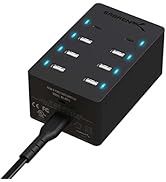
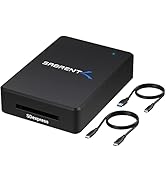
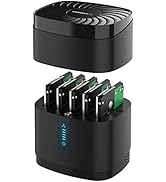
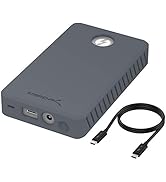
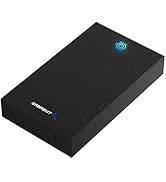
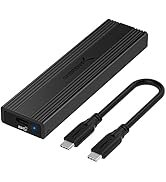
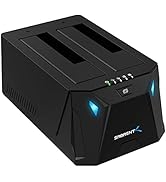
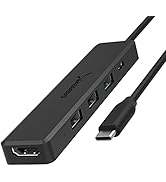
The SABRENT USB C Docking Station (DS-UNHC) is a versatile, high-performance hub supporting simultaneous M.2 PCIe NVMe and SATA 2.5”/3.5” drives. Featuring USB 3.2 Gen 2 speeds up to 10Gbps, offline cloning without a PC, and a rugged, thermally optimized design, it’s engineered for professionals who demand fast, reliable, and flexible storage solutions.



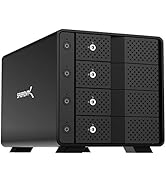
| Material | Acrylonitrile Butadiene Styrene (ABS) |
| Item weight | 7 Ounces |
| Memory storage capacity | 20 TB |
| Compatible devices | Laptop, Desktop |
| Hard disk form factor | 3.5 Inches |
| Max number of supported devices | 3 |
| Data transfer rate | 10 Gigabytes Per Second |
| Global Trade Identification Number | 00840025256422 |
| Manufacturer | SABRENT |
| UPC | 840025256422 |
| Product Dimensions | 15.49 x 6.1 x 6.6 cm; 198.45 g |
| Item model number | DS-UNHC |
| Series | Docking Station |
| Color | Black |
| Operating System | Windows, Mac OS |
| Are Batteries Included | No |
| Item Weight | 198 g |
M**N
Top
Très bon produit
T**.
Vielseitige und schnelle Dockingstation für SATA- und NVMe-Laufwerke
Die SABRENT Dockingstation ist ein echtes Multitalent: Sie unterstützt sowohl 2,5" und 3,5" SATA-Festplatten als auch M.2 NVMe SSDs, was sie extrem flexibel macht. Die USB-C-Verbindung mit 10 Gbps sorgt für schnelle Datenübertragungen. Besonders praktisch ist die Offline-Klonfunktion, mit der man ohne PC Daten direkt von einer Festplatte auf eine andere kopieren kann. Die Verarbeitung ist hochwertig, das Gerät arbeitet zuverlässig und bleibt auch bei längerer Nutzung kühl. Für alle, die schnell und unkompliziert mit verschiedenen Laufwerkstypen arbeiten wollen, eine klare Empfehlung.
K**M
Performed as expected.
Easy to use no complicated setup.
A**C
Bra dockningsstation
Enkel att läsa satadiskar 2,5" samt 3,5" bara att trycka i samt läser nvme minnen. Köpte på rea (halva priset)och då var priset det rätta.
R**M
A compact dock for both SATA and m.2 drives, with a few caveats
I needed something that can take a standard 3.5" hard drive for daily incremental backups and also work with newer NVMe sticks. This dock fit the bill nicely. For now I'm using a now-ANCIENT WD Red 3TB drive, with its downright slow 60-100MB/s write speeds, but I do plan on upgrading to a much larger 3.5" HDD later on. I hacked off the plastic button that initiates the offline drive cloning function and covered it up with tape to prevent accidental activation. Currently I'm not using the m.2 slot, so I covered its opening with some cellophane tape. Sabrent includes a 12V/2A AC wall wart with the dock. It's *not* required when using the dock with either a 2.5" SATA drive OR the m.2 slot, but it's required when using a 3.5" drive or BOTH slots. To be honest with you, I HATE WALL WARTS, so my workaround involves: 1. an USB-C charger that HAS the optional 12V voltage output and most ideally single-port. It's not a required voltage level starting with Power Delivery version 2.0 and later, so many manufacturers e.g. Anker, Belkin, Apple, etc. skip 12V altogether - but other third-party chargers may still have 12V support. A 30W charger is sufficient for this dock. For other docks that require up to 12V/3A of input power, a 45W charger will suffice. In my case, I repurposed an old AUKEY PA-Y19 as the power source, as it can do 12V at 2.5A. 2. an USB-C to 12VDC cable that terminates into a standard 5.5mm X 2.5mm barrel plug. The most important part of this cable is it needs to trigger the 12V output on the charger. If it's 9V, the dock simply won't function. If it's 15V or 20V (both being valid Power Delivery output voltages), the dock would be fried. The caveats? Besides the offline drive cloning function (which I don't use, but I've read reviews of other Sabrent docks that indicated the cloning function isn't very smart), this dock requires that you first use the "Safely Remove Hardware and Eject Media" submenu in Windows (or unmounting the drives on Mac and *nix OSes) BEFORE unplugging the dock from your host computer. This isn't the same as removing a SD card or unplugging a USB flash drive - you have to "Eject Exteral" (yes, that is a typo) so the drives themselves are unmounted, otherwise you risk data corruption. When both drive slots are used, ejecting the dock unmounts BOTH drives at the same time. The integrated heatsink/flip cover that provides user access to the dock's m.2 slot is only big enough to cover a m.2 drive the size of a 2230 or 2242. As bare m.2 drives tend to run hot and thus thermally throttle, I highly recommend investing in some m.2 heatsinks on the parts not in contact with the flip cover.
Trustpilot
1 week ago
1 month ago