

Desert Online General Trading LLC
Dubai, United Arab Emirates
Desert Online General Trading LLC
Dubai, United Arab Emirates


⚡ Power Your Productivity with Speed & Style
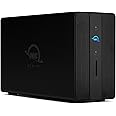
The OWCGemini Thunderbolt Dock combines ultra-fast 40 Gb/s Thunderbolt 3 connectivity with dual-bay SATA/U.2 drive support, hardware RAID options, and 7 versatile ports including HDMI 2.1 for 8K displays and 2.5 GbE Ethernet. Designed for professionals demanding high-speed data transfer, flexible storage, and seamless device charging in a single sleek enclosure.
S**.
good purchase
easy to set up. works great. i am happy with this purchase and would do it again, which i only say about 1/2 the time.
J**N
Almost perfect
I bought this to be my primary drive for a Plex server, and it is almost perfect, my only complaint is that if I have to disconnect it I have to wait a few hours to plug it all back in to get it to mount on my 2017 iMac.
M**G
Buyer Beware Subscription Service required!
Overall the the hardware is great quality and easy setup… I watch a lot of OWC videos and YouTube videos, no mention you must subscribe to annual premium subscription $149/yr, to create disk volumes or make use of the raid features… because I opened all the packaging and new hard drives, I wasn’t able to return for a refund!!! So I suck it up and paid the $149. This should be the first line of the product info… “Warning you will be required to purchase a premium software package to use the storage features!”
A**N
nice dock works well with win11 and opensuse
was a little nervous to drop the cash for this knowing it was designed for a mac. my usage needs are via hp laptop but with two 20 tb datacenter drives in it this things performs as advertised in win11 which i need for work and OpenSuse i use for personal.I would recommend this for anyone stuck with a laptop that needs industrial grade storage and extra ports.
N**E
Beware, this requires MacOS SOFTWARE to work. It's not actually a hardware RAID...
For the MacOS, the external RAID enclosures from OWC require SOFTWARE to work. Apparently the software you have to install tells the enclosure to use the proper amount of power or some such nonsense. In any event, the enclosure will not mount unless you install the OWC "Dock Ejector" software.... and.. you can't simply eject disks either. One MUST use the "Dock Ejector" software to eject all disks in the RAID (even though only 1 appears on the desktop). I've used many RAIDs over 30+ years. This is the first external hardware RAID which REQUIRES software to even work. How is that anything close to a "hardware RAID"?Then, on top of all that, there's a subscription fee if you wish to use OWC's RAID management software (which you probably don't need). I never paid for it.MOST hardware RAID enclosure manufacturers I've come across don't need ANY software to function - that's sort of the entire point behind a *hardware RAID*. And if there is RAID management software for their products, that's typically provided free of any charge - since it's pretty worthless without purchasing their hardware. Not OWC.. they don't have a clue.These OWC RAID enclosures are just WAY more trouble than they are worth. I stopped using the OWC enclosure I have. For $50 I replaced it with an enclosure that does NOT require any proprietary software to run and function. Same RAID functions.. no OWC software dependency.My recommendation would be to avoid OWC RAID enclosures altogether.
J**E
Amazing speed and useful extra ports (12TB version)
See screenshot of Black Magic Speed test with an Apple Studio M2 Max and Thunderbolt 4 connection.
K**D
Please seal your boxes!
Yet another product that is missing pieces and instructions. Please seal your boxes to ensure people are getting new items! OWC fail!
B**H
Good Hub, Unreliable Storage
First off, the hub works consistently and well. However, I've had one unit RMA-ed directly with OWC (original purchase was on OWC website but they don't have a section for reviews so I'm dropping a warning here), and the unit is not fixed.My initial contact with customer service did not believe that the unit had issues and assured me if I plugged a proper thunderbolt cable into the top slot all would be good. It's not. The hard disks will show up after a complete power drain of the unit which takes half a day or more.If one decides to eject the unit and plug it into a different Mac, the disks will not show up. This makes the storage unreliable. We use this for media and need to be able to move external storage devices around and plug/unplug them for various reasons. Waiting half a day to be able to access an external raid is unsustainable.It's unclear if the unit will just stop showing the drives in the future but we're not looking to RMA a second time. It was hard enough to get them to believe an issue existed in the first place and then all I got in response was "it passed all testing." I did my best to explain how to reproduce the issue and I can't assume they tried that path. Be forewarned.
Trustpilot
2 weeks ago
1 month ago
![Cable Matters [Intel Certified] 80Gbps Thunderbolt 5 Cable with up to 120Gbps Bandwidth Boost and 240W Charging in Black - 1m / 3.3ft, Compatible with Thunderbolt 4, USB 4 and USB-C](https://images-eu.ssl-images-amazon.com/images/I/61LvjtEOi4L._AC_UL116_SR116,116_.jpg)