
DOWNLOAD THE APP


Customer Services
Copyright © 2025 Desertcart Holdings Limited
DOWNLOAD THE APP


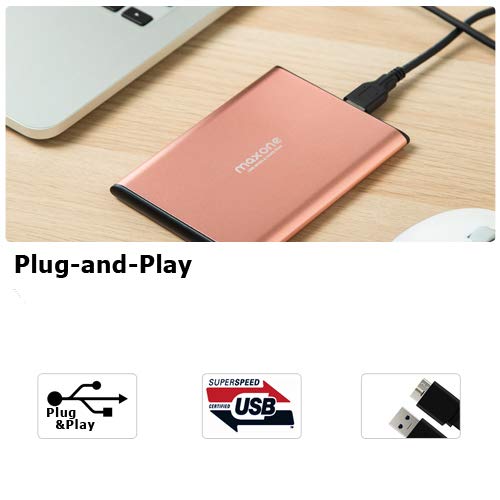
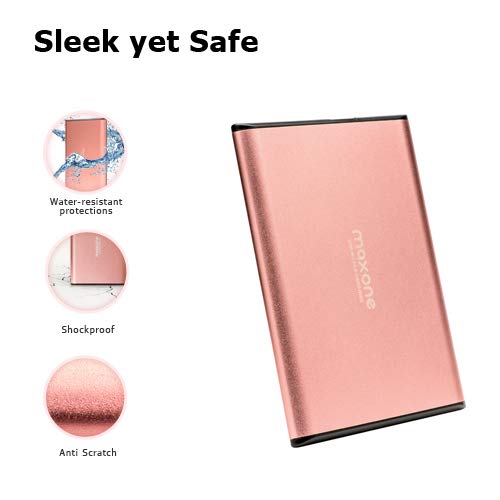

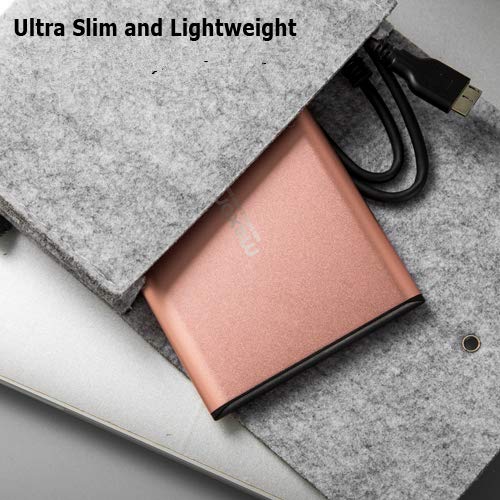
💼 Store Smart, Move Fast, Look Sharp.
The Maxone 500GB Ultra Slim Portable External Hard Drive combines a compact, durable aluminum design with USB 3.0 technology for rapid 5 Gbit/s data transfers. Compatible with Windows PCs and laptops out of the box, it offers hassle-free plug-and-play storage in a stylish rose pink finish, backed by a 3-year warranty and free technical support.


| ASIN | B07BCP5L2B |
| Additional Features | 1, laptop |
| Best Sellers Rank | #5 in External Hard Drives |
| Brand | Maxone |
| Built-In Media | Portable external hard drive, 19-inch(48.26cm) USB 3.0 hard drive cable, user's manual, 3-Year manufacturer warranty with free technical support service |
| Cache Memory Installed Size | 500 |
| Color | Rose Pink |
| Compatible Devices | Desktop, Laptop |
| Connectivity Technology | USB |
| Customer Package Type | FFP |
| Customer Reviews | 4.4 out of 5 stars 59,911 Reviews |
| Data Transfer Rate | 625 Megabytes Per Second |
| Digital Storage Capacity | 500 GB |
| Enclosure Material | Metal |
| Form Factor | Portable |
| Global Trade Identification Number | 00606024647742 |
| Hard Disk Description | External Hard Drives |
| Hard Disk Form Factor | 2.5 Inches |
| Hard Disk Interface | USB 2.0/3.0 |
| Hard Disk Rotational Speed | 5400 RPM |
| Hard-Drive Size | 500 GB |
| Hardware Connectivity | USB 3.0 |
| Installation Type | Plug In |
| Item Dimensions L x W x Thickness | 4.7"L x 3.39"W x 0.39"Th |
| Manufacturer | Maxone |
| Media Speed | 625 Megabytes Per Second |
| Model Name | Maxone 2519 |
| Model Number | 2519-500GB Rose Pink |
| Number of Items | 1 |
| Read Speed | 625 Megabytes Per Second |
| Special Feature | 1, laptop |
| Specific Uses For Product | Gaming, Storage |
| UPC | 606024647742 |
D**A
very good price
This portable hard drive has worked perfectly since day one. It's easy to connect and is recognized immediately, requires no complicated installation, and is compatible with various devices. The transfer speed is good, allowing me to save and move files without delays. The design is compact and lightweight, ideal for taking it anywhere. It also feels sturdy and reliable for storing important information. I use it for backups and to free up space on my computer, and it fulfills its purpose perfectly.
A**Y
Slim, lightweight, and easy to use
This external hard drive is very compact and lightweight, making it easy to carry around or keep in a laptop bag. Setup was simple — plug and play with no extra software needed. It works smoothly for basic storage, file backups, and transferring documents or media. The casing feels solid despite being slim, and it doesn’t get noticeably warm during use. A good option if you want straightforward, portable storage without unnecessary extras.
M**I
Great Choice
I was reluctant to order this item because it seemed too good to be true: small, easy to use, same storage size as the hard drive on my computer, very cheap, but I ordered it anyway because I wanted more storage and to offload stuff I didn't use every day. I am glad I did because the easy setup which is nothing more than plugging the cable between the computer and harddrive i has been exactly as described and worth every penny. It was not really a concern but it looks nice sitting on my desk and fits in my pocket if I decide I want it with outside the office. I will purchase one more to back up my writing to keep it safe from loss. I reccomend and will purchase again.
B**E
Good value for the money
I received the external hard drive on time and it arrived well packaged. It works great with 1 exception the indicator light on the hard drive doesn't seem to work. I never lights up during transfer or when plug in to computer. It transfer data fast and I am using it to back up pictures and music for my computer and than store it in a fire safe. It came with the cable it is only like 6 inches a little longer would of been better but it gets the job done.
A**N
really good
it's honestly a really good product, slim, has a huge storage and I'm able to keep what I want in check.
T**H
Affordable Solution for Those File Hoarders Amongst Us
When I first bought a new laptop a few years ago, 237 GB of hard drive seemed like it would last forever. It wasn't until recent times when trying to install my latest purchase of Far Cry 6 only to discover it required a whopping 60GB of memory and the available space on the current internal hard drive was but a sliver in comparison. Even after deleting or uninstalling everything I truly didn't need, it still was not enough (Windows 10 itself is a memory hog), thus I had little choice except to buy a new computer or install a larger hard drive. A new laptop was economically out, especially when the current one was still running fine and I did not want to have to deal with installing another internal drive given the difficulty of placing one in even the larger confines of a desktop I had experienced years back. So, finding out external hard drives had now shrunk to a size where they wouldn't take up too much space on a desk and actually be portable, I purchase the Maxone Ultra Slim Portable and so far, I've not been disappointed. At about 4 1/2" in length and 3 1/2" in width, the Maxone is definitely svelte and very unobtrusive next to the computer itself (though I keep it behind it). It is simple plug and play and connects to any available USB port with a standard cable (though one came with it). At about 18" the supplied cable is kind of short, but seeing as how one will likely have the drive close to the computer, that is not really an issue and as stated, any similar, longer cords would work just as well. It is small enough that I can fit it into my laptop case with both the computer and mouse if I need to access something on the external drive away from home. Installing said video game took almost the better part of the day, but I think it had more to do with the size of the program, as well as the Steam download speed and less to do with the hard drive itself. I imagine transferring standard files, like photos and such, should prove to be faster, but so far, I've only used the Maxone for the game as I still have room for everything else on the computer itself. The game ran fine on the Maxone and didn't crash once during the several weeks off and on it took me to complete it. Overall, I am satisfied with it and the value for the additional amount of memory. I will likely reserve the Maxone for downloaded games as until Moore's Law catches up with programs and gaming graphics, it will likely be enough additional memory for my needs or at least until the graphics card in the laptop itself can no longer run the latest games. Though I may also eventually use it to back up some important files as failing to do so in the past was a tragic lesson I do not wish to repeat and thus, the Maxone would also be good for redundancy storage and I may eventually purchase another one for just that purpose exclusively.
T**S
Don't BUY!!! Broken within days of purchase!!!
Apr 1, 2023 11:26 AM I purchased the Maxone 500GB drive and once I put important data on the drive no longer shows the blue led light, which the computer will not read the drive anymore. I tried it on two other computers and it will not read it anymore. I do not want to send this drive back because of the personal data it has on it. I can send you and video showing you the drive don't work anymore, but I am asking from a customer stand point to replace the drive with another. But again I do not want to send the broken drive back to you with this data on it, I prefer to destroy the drive totally. Apr 1, 2023 9:59 PM Hello, Sorry for the inconvenience. We recommend that you try to use the drive on another computer or laptop to see if the drive is working properly. Or, please check whether the USB interface of the computer is in poor contact or damaged. You can use other storage devices to check. Regarding the problem of unrecognition, it may also be the insufficient power supply of the hard disk. Normal computers (mainly desktop computers) have many sockets. Including the front USB socket and the rear USB socket. In many cases, after inserting the hard disk into the front USB interface, the hard disk cannot be read. This is because generally the front socket has a lower power supply voltage than the rear socket. You can replace the hard disk data cable with a USB port on the back of the computer. If there are two data cable plugs, insert both plugs. If you still cannot work normally after trying the above methods, You can apply directly to Amazon for a replacement service, and your order is still available within 30 days. Sincerely, Maxone Team Apr 7, 2023 9:25 AM Thanks for your response, As the reply to your instructions, I have plugged this Maxone 500 Ultra into every USB port on my computer and two more other computers USB connections, and it doesn't read the drive. Under Disk Management it is labeled (DISK Unknown, Not Initialized). I can hear the drive spinning, but the blue light doesn’t appear like before, tried two other cable end to this Maxone drive and still no help. I tried to pull the data off this drive with software and it would not work for me, I attempted to Initialize the disk, even tried to rebuild, etc. nothing seems to work. I have a lot of personal data on this drive and do not want to send it back to you, I prefer to destroy the drive myself. I can send you back all the pieces after destruction if that's an option. I am not trying to lose any more money on your product, I even brought third party software to try and delete the data and still that didn't work. So, I am losing more money on my end. Can you make it right by sending me another drive or refund me 80% of the cost I paid without me returning the drive-in pieces? Apr 8, 2023 10:47 AM Hello, Sorry for the inconvenience. You can apply for a replacement service directly from Amazon. Your order is due within 30 days. Buyer (Please advise me If you think am wrong for the heading and ratings. I will surely correct my opinion. )
S**N
great price and reliable
great price, i buy this brand since they are all made in the same place, fired right up.
Trustpilot
1 month ago
2 months ago