
DOWNLOAD THE APP


Customer Services
Copyright © 2025 Desertcart Holdings Limited
DOWNLOAD THE APP
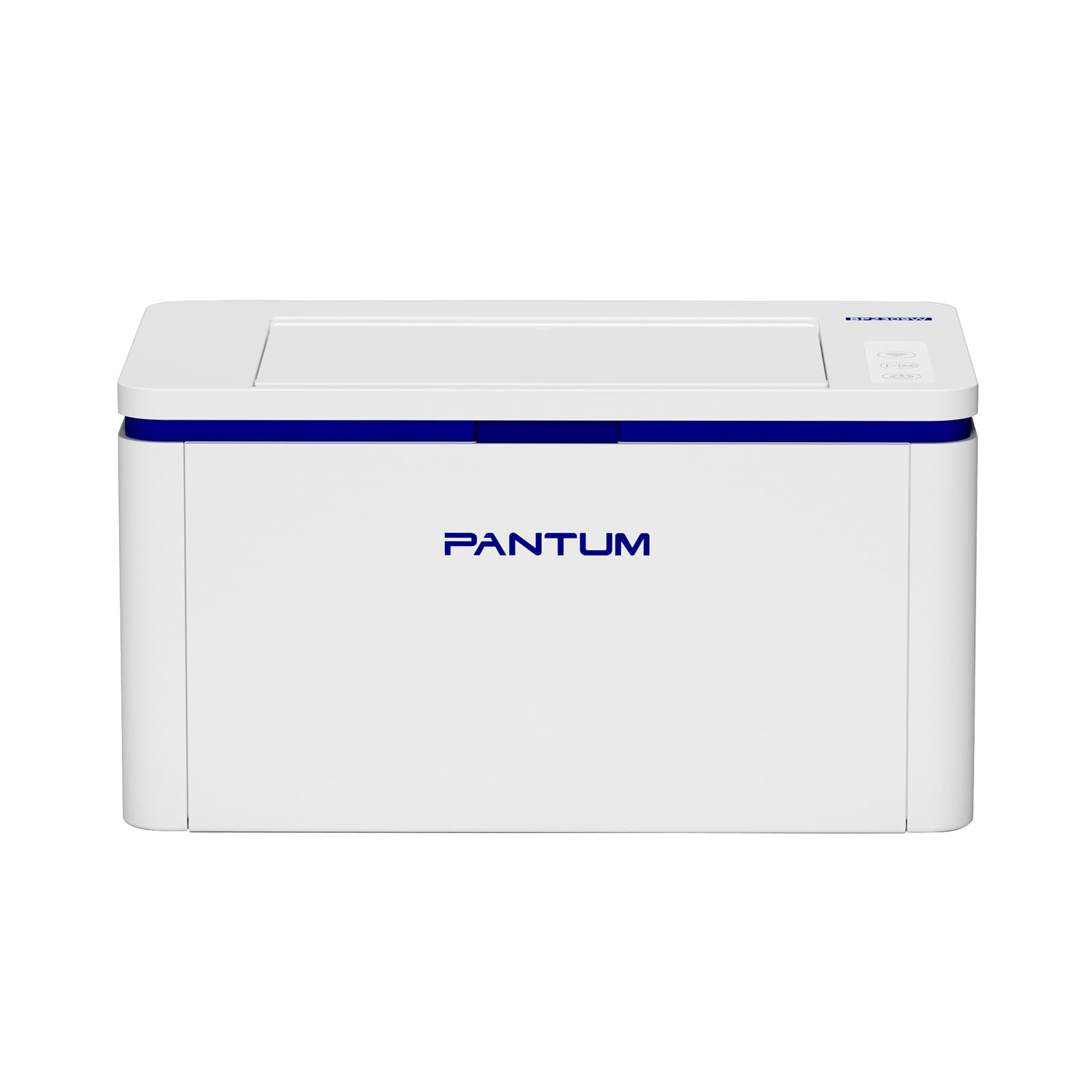
🖨️ Print smart, print fast, print green—your home office MVP!
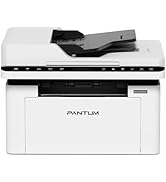
The PANTUM BP2309W is a compact, wireless black-and-white laser printer designed for home and small office use. Delivering up to 20 pages per minute with 1200 dpi resolution, it supports multiple wireless printing protocols including Wi-Fi, Bluetooth, AirPrint, and Mopria for seamless device integration. Equipped with an eco-friendly toner system compatible with high-yield cartridges, it balances professional performance with sustainability. Easy driver installation and manual duplex printing make it a practical, efficient choice for busy professionals seeking reliable, cable-free printing.





| ASIN | B0CRV5DH9Z |
| Best Sellers Rank | 10,377 in Computers & Accessories ( See Top 100 in Computers & Accessories ) 18 in Laser Printers 5,338 in Climate Pledge Friendly: Shop All |
| Compatible devices | Laptops, PC, Smartphones, Tablets |
| Controller type | Android, iOS |
| Customer Reviews | 4.2 4.2 out of 5 stars (953) |
| Date First Available | 9 Jan. 2024 |
| Dual-sided printing | Yes |
| Form Factor | Printer |
| Guaranteed software updates until | unknown |
| Included components | Toner Cartridges |
| Item Weight | 4.8 kg |
| Item model number | BP2309W |
| Manufacturer | Pantum |
| Max input sheet capacity | 250 |
| Maximum Supported Paper Size | A4/210 x 297 mm |
| Maximum black and white print resolution | 1200 dpi |
| Maximum copies per run | unlimited |
| Power consumption | 45 Watts |
| Print media | Labels |
| Product Dimensions | 33.7 x 22 x 17.9 cm; 4.8 kg |
| Sheet size | A4 |
| Warranty type | limited warranty |
| Wattage | 45 watts |
O**N
Really good printer/scanner.
This is a really good printer/scanner. It was working within 15 minutes (a MacBook, an iPad, iPhone and a Windows laptop). Pantum’s app was particularly good for setting up the MacOS devices. Printing and scanning are both very good, and can be achieved from any of the connected devices, anywhere in the house. The price was particularly good - less than £100.
M**0
Very average with some poor design choices
Setup was trickier than it might've been. The instruction diagrams implied the toner cartridge was loose in the box, but it turned out it was already in the machine. So I had to yank it out. remove the protection tape and paper, and then reinstall it. Similarly, driver installation was a pain. A driver CD is provided but, alas, this isn't the year 2000 and computers don't come with CD/DVD drives. I went to the web address given but it gave a 404 not found error. I googled "Pantum driver" and found the official site, but this printer wasn't in the list! However, adding the printer via Windows Print & Scanner tool seemed to work, with Windows magically finding the correct driver online for me. The printer was added twice to the list of printers in Windows, although both options work if selected. One I guess was USB and one probably Wifi printing. Incidentally, for printing when connected to a PC, the printer uses the old-school USB connection (USB A to USB B). If your computer is USB-C only then you'll need to get a USB-C to USB-A adapter. Setup via the iPhone to allow AirPlay was actually easier. Just grab the app and press the Wifi button on the printer's panel, then the app found the printer so I could input our Wifi router details. I can also use AirPlay to print via my MacBook, so setup there was again easy. The printer is not a great design. For example, if you reach to open the scanner lid, you will almost certainly brush against one of the touch controls. I even managed to turn it off doing this. Similarly, if you want to shift the printer on the desk, it's almost certain you'll accidentally touch one of the buttons. Our unit seems to have a habit of pulling through two pages at a time, so we get blank pages in-between. I'm going to have to keep an eye on this. It doesn't matter hugely, I guess. So in summary, you're probably looking at this printer and thinking it's cheap and cheerful. And you'd be entirely right. The real test for us is whether it's going to be usable as just an everyday printer, spending most of its time keeping out of the way.
R**S
Initial Apprehension
I bought this printer a bit apprehensive as I had not heard of Pantum before. After reading several reviews I decided to go with it. Ideally, I wanted a coloured laser printer but due to budget constraints I decided to go the monochrome route and a make that I had not heard of. I have had several printers over the years, and I must say, whilst I was able to get it setup and working on my PC and Mobile, it took a fair amount of work. Installation was easier for PC as you would expect but the instructions are in broken English. It does come with an installation CD, but I do not have a CD drive so used their website to download the drivers as Windows 11 had issues finding the printer. I believe it was the printer itself though as I had to navigate the printer menus to enable WPS and then link with my BT router. My PC then found the printer successfully. They do have apps for Apple and Android, but the Android app shows the toner as being 0% and offline when clearly it is not. The Android app seems somewhat buggy although I do not know if the Apple app is any better. Overall, if you are on a budget and need a fast, monochrome printer or to be able to scan your documents or perhaps even photocopy something then this is the printer for you. The print quality is really good considering its black and white. The output is very clear as one would expect. For the price this is a great purchase, I just wish more effort went into the instructions. The diagrams were difficult to understand as was the English in some instances.
P**R
Great
Well priced, easy to set up and prints from my phone wirelessly too. Fantastic buy
C**M
No cartridge
No toner cartridge and it says that one comes with the printer
T**E
5* recommendations from me
Well worth the money, very quick prints and excellent quality, very easy to set up and you can print from anything on the same network
S**A
Very nice.thanks
Nice printer thanks
K**R
Not as easy as HP setup
The driver is on a disc, which was no good to us as our laptop has no disc player. The online download stopped while loading and had to be restarted. I could not enable Wi-Fi on the printer.
A**U
Ich habe den Drucker im März 24 gekauft als Alternative zu den teureren Druckern. Ich drucke tägl. ca. 20 Seiten aus und bin mehr als zufrieden mit der Druckqualtät, dem Schriftbild und der Geschwindigkeit. Auch der mitgelieferte Toner hält unglaublich lange. Noch sind 45% von der Tinte übrig. Das nenne ich sparsam. Ich "drucke" vom Wohnzimmer oder wo auch immer per Handy oder Laptop und muss nicht jedes mal ins Büro rennen. Auch der Tonerersatz ist günstig. Instalation super einfach, Anwendung super einfacher, Ergebnis super. Alles super! Ich bin sparsam beim Stromverbrauch aber bei dem Drucker ist mir der wenige Stromverbrauch egal, so kann ich jederzeit ausdrucken. Für mich einer der besten Drucker welche ich jemals gehabt habe und das für den günstigen Preis. Eine ganz klare Kaufempfehlung meinerseits.
A**O
No ha sido posible imprimir ningún documento de más de 20 páginas sin problemas. Se calienta, se bloquea, se atasca. La he devuelto a los 4 días de recibirla.
P**R
Wir brauchten einen zweiten und leichten Drucker nur für schwarz weiss und ohne die heute üblichen Zusatzfunktionen wie Scanner und Kopierer. Dafür haben wir ein anderes Gerät. Dieser Drucker war sehr schnell zu installieren und funktioniert auch ohne Mucken. Inzwischen nutzen wir ihn mehr als den anderen. Die Druckqualität ist sehr gut. Die Toner sind preiswert. Keine teure Tinte oder eine eingetrocknete Tinte, also sehr praktisch. Und er ist nicht gross und fällt nicht auf. Eine Empfehlung, wenn man nur Texte drucken will und die heute üblichen Zusatzfunktionen doch nicht braucht.
T**K
De beste, meest probleemloze en voordeligste printer die ik tot nu toe heb gekocht. Werkt perfect op zowel Mac als Windows. Verbinden en printen op afstand gaat zonder problemen. Ik was het beu om met de draadloze verbindingsproblemen van andere merken te worstelen. Duizendmaal dank voor zo’n geweldig product!
N**S
im Preis-Leistungs-Verhältnis, jedoch habe ich, wie bereits in einigen Kommentaren vorher gelesen das es Probleme mit der WiFi Verbindung gibt. Dessen bewusst hab ich mir den Drucker trotz allem geholt. Diese Probleme sind bei mir ebenfalls aufgetreten oder immer noch vorhanden, ich nutze das USB Kabel und somit druckt der Drucker wie gewünscht schnell und zuverlässig
Trustpilot
2 days ago
1 month ago