
DOWNLOAD THE APP


Customer Services
Copyright © 2025 Desertcart Holdings Limited
DOWNLOAD THE APP
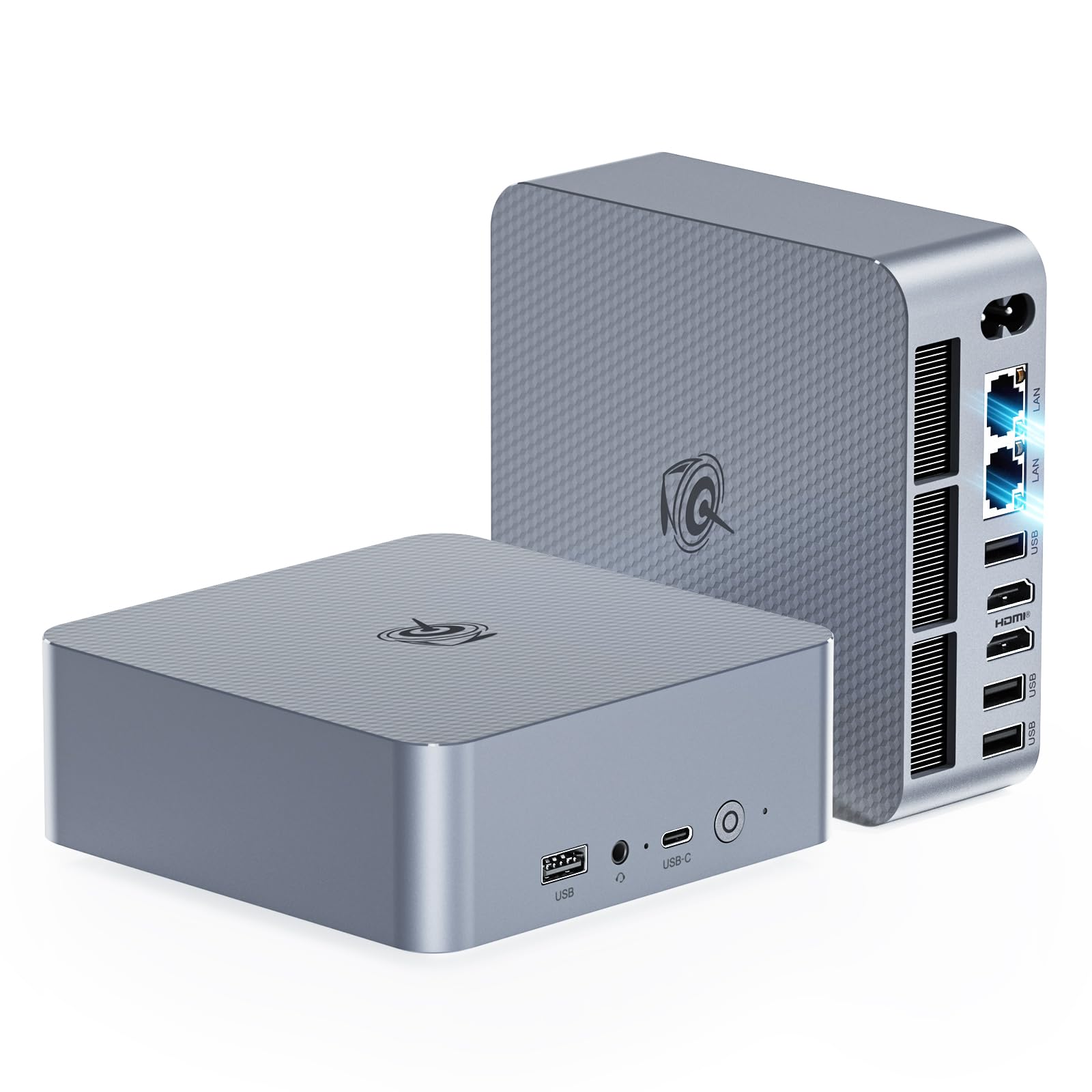




🚀 Compact Powerhouse: Elevate Your Workspace with Beelink EQi12 Mini PC
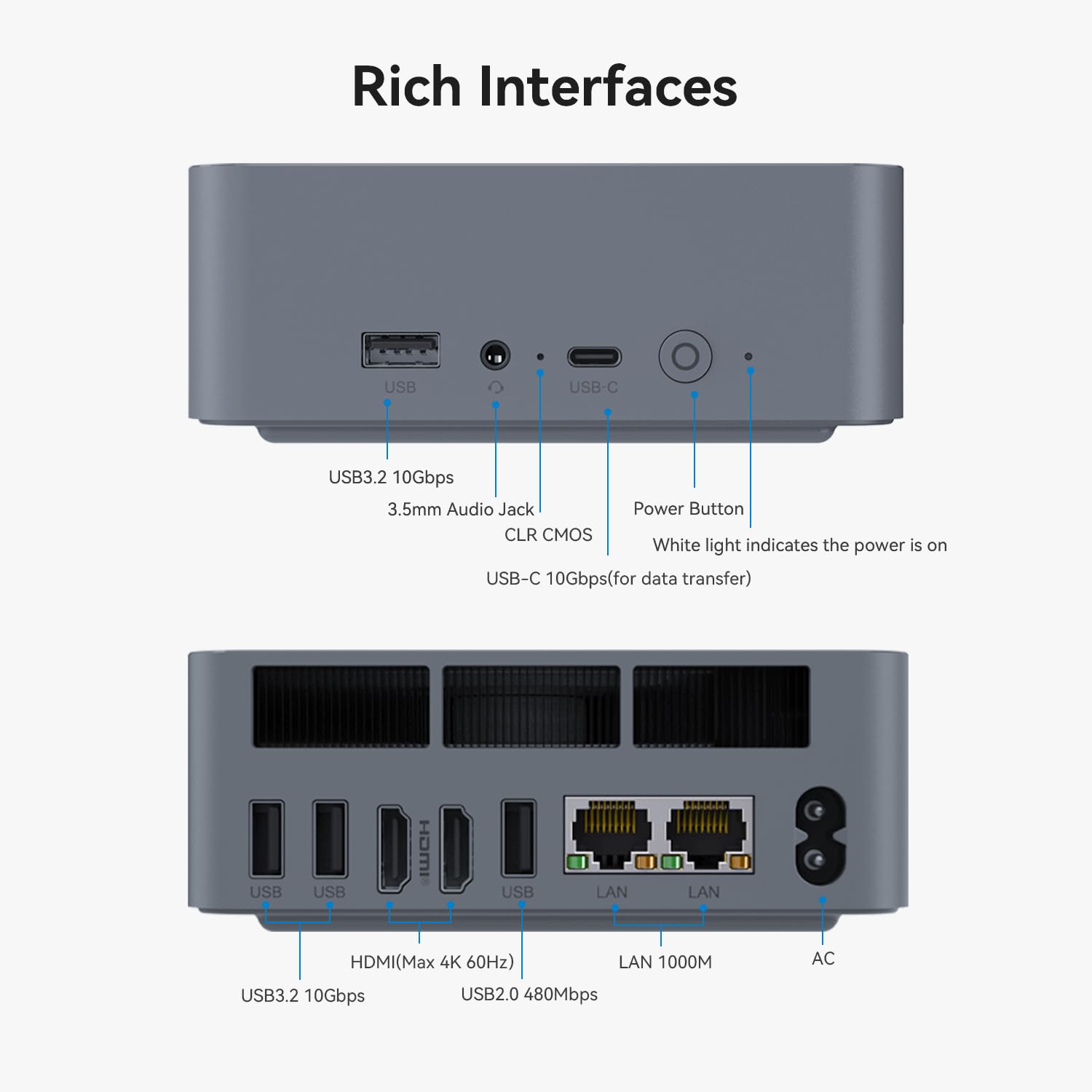
The Beelink EQi12 Mini PC packs a 12th Gen Intel Core i3-1220P processor with 10 cores and 12 threads, 16GB DDR4 RAM, and a 500GB PCIe 4.0 SSD into a sleek, compact chassis. It supports dual 4K@60Hz displays via HDMI 2.0, features advanced cooling technology for silent operation, and offers next-gen connectivity including Dual Gigabit LAN, WiFi 6, and Bluetooth 5.2. Ideal for professionals seeking a powerful, space-saving desktop solution for multitasking, light gaming, creative work, and seamless remote connectivity.


| ASIN | B0G2R344QY |
| Aspect Ratio | 16:9 |
| Best Sellers Rank | #5,118 in Computers & Accessories ( See Top 100 in Computers & Accessories ) #218 in Mini Computers |
| Brand | Beelink |
| Built-In Media | 1*AC Cable 150cm, 1*EQI12 1220P Mini PC, 1*HDMI 100cm, 1*User Manual |
| CPU Model | Core i3-1220P |
| CPU Model Number | i3-1220p |
| CPU Speed | 4.4 GHz |
| Color | Greey |
| Compatible Devices | Headphone, Keyboard, Monitor, Printer, Television |
| Connectivity Technology | Bluetooth, Ethernet, HDMI, USB, Wi-Fi |
| Customer Reviews | 4.4 out of 5 stars 459 Reviews |
| Display Resolution Maximum | 3840x2160 Pixels |
| Display Type | LED |
| Graphics Card Description | Integrated |
| Graphics Card Interface | Integrated |
| Graphics Card Ram | 1.1 GB |
| Graphics Coprocessor | Intel UHD Graphics |
| Graphics Description | Integrated |
| Graphics Ram Type | Shared |
| Hard Disk Description | SSD |
| Hard Disk Interface | PCIE x 4 |
| Hardware Interface | 3.5mm Audio, Bluetooth, HDMI, Headphone, PCI Express 4.0, USB 2.0, USB 3.2 Gen 2 |
| Human-Interface Input | Keyboard |
| Keyboard Description | Wired, Full-size, Numeric Keypad |
| Keyboard Layout | QWERTY |
| Manufacturer | Shenzhen AZW Technology Co.,Ltd. |
| Memory Clock Speed | 3200 MHz |
| Memory Speed | 3200 MHz |
| Memory Storage Capacity | 16 GB |
| Model Name | EQi12-1220P |
| Model Number | EQi12 |
| Native Resolution | 3840 x 2160 |
| Number of Component Outputs | 2 |
| Operating System | Windows 11 Pro |
| Personal Computer Design Type | Mini PC |
| Power Consumption | 45 Watts |
| Processor Brand | Intel |
| Processor Count | 10 |
| Processor Series | Core i3-1220P |
| Processor Socket | Socket A |
| Processor Speed | 4.4 GHz |
| RAM Memory Installed | 16 GB |
| RAM Memory Technology | DDR4 |
| RAM Type | SODIMM |
| Ram Memory Maximum Size | 64 GB |
| Resolution | 4K |
| Screen Size | 27 Inches |
| Specific Uses For Product | Business, Gaming, Education, HTPC, Photo/Video Editing |
| Style Name | Minimalist |
| Total Number of HDMI Ports | 2 |
| Total Usb Ports | 5 |
| UPC | 810180175326 |
| Video Output | HDMI |
| Video Output Interface | HDMI |
| Video Processor | Intel |
| Warranty Description | 1 Year |
| Wireless Technology | Bluetooth, Wi-Fi |
J**Z
Compact, Fast, and Great for Everyday Use
This mini PC delivers excellent performance in a compact form factor. It boots quickly and runs smoothly for everyday tasks like web browsing, document work, and photo editing in programs like Photoshop. It even handles light gaming without issue. Despite its small size, the build feels solid, and the system runs reliably with no lag in daily use. Dual display support, fast SSD storage, and 16GB of RAM make it a surprisingly capable setup for home or office environments. Given its features and performance, it offers strong value for anyone looking for a powerful, space-saving desktop solution.
W**D
Amazing little PC
I'm running Channels DVR service as an over the air DVR for my whole house. I didn't want to run Channels off my desktop as I'd rather not leave my power hungry desktop running 24/7. I considered getting a Raspberry Pi, but this seemed cheaper and more powerful. This N95 based Beelink Mini PC perfectly fit the bill. Running at most 25 watts I'm not as concerned about it running 24/7 and the quad core processor has no problem handling the Channels DVR software and easily powers through commercial detection. It's also quiet, runs fairly cool, and came with Windows 11 pre-installed. I'm running this headless and just remote in when needed. For my use 8G of RAM and the 256GB SSD are good enough as I was able to easily add a 2.5" drive for video storage. This would also work well for a home theater setup as it can be mounted behind the TV and it's so small you could even take it with you when you travel. With dual 4K HDMI, four USB3.2 ports, gigabit Lan, WiFi, and Bluetooth, this is also attractive as a desktop replacement for light usage such as email, web browsing, and word processing. When it came to installing Windows updates, it really ground to a halt and took a long time to install, so I'm not sure how well it would work for more than basic tasks. --Update: After running this 24x7 for over 5 months I'm still happy with my purchase. It runs on average from 10-12 watts and has no problem recording multiple show simultaneously while watching another show. While I still would not recommend this as a desktop replacement, it has worked great as a DVR server and I'm even running a small home intranet site off of it as well.
S**Y
Fast, no frills, add fans and linux and its a good 4k tv box
Plenty of USB and hdmi ports, very simple PC with instruction on the side how to boot to BIOS to get a USB stick to load. I dropped CachyOS on it, and it runs GFN incredibly fast. High end bluetooth and wifi. 8MB ram seems fine and I dropped a 512 faster Crucial NVME in it so it's got plenty of drive speed and space. It has 2 slots for nvmes, but one sits directly over the RAM so I can see that overheating easily. I bought 40mm fans to attach to the side get extra ventilation (the internal fans seems to work, and it has a heatsink that sits over the nvme slots) but gaming for an hour or two it's not especially hot. I would not recommend using both HD ports and let the RAM have its own airflow. For 150 bux this is cutting edge processor that ran 4k@60hz without a glitch. Thumbs up.
C**T
Windows is trash, but this little guy is solid.
Ok, so the setup with windows 11 on this Mini PC was a nightmare. Constant errors when trying to update, forcing me to make a Microsoft account then errors when I try to login. I had to force restart several times and I'm not sure really how I got into windows at all. There is still a windows update that will not get past 20% no matter how many hours I let it sit for. I almost gave up, returned it and gave it 1 star. However, I was able to get in somehow and format a new 2TB SSD I installed using windows and get the basics working. This thing really started to shine tho when I installed ubuntu to dual boot alongside windows. Now I can run my media server without the hiccups of windows but still have it as an option should I need a windows PC in the future. The fan can get a bit loud but performance wise this thing was lighting fast. I also transfered like 500gb to the SSD that I installed in like an hour or so. It was warm afterward and the fan was ripping the whole time but it was not hot to where i was worried. I may install a thermal pad and heatsink, but I'm not sure if it needs it with the thermal pad that is built it. This thing is solid for the price, and its tiny. Perfect for a mini server. Especially if your going to load linux and really turn it into a real server.
G**E
It is great for what it is, low end mini PCs getting impressive
The Beelink Mini Pro 12, with some help from Intel, engineered maybe the perfect low cost, low spec but still good PC I have purchased. Only one memory channel, so performance left on the table. Only one pcie lane to the m.2 NVME slot? While most SSDs have four lanes? For maximum throughput, that leaves 75% of your expensive ssd's performance on the table, right? Well, yes, but this already hobbled, almost recycled CPU with one memory channel can't do too much more with many pcie lanes anyway. And, maximum throughput isn't really so useful as a spec for most people. This one lane of pcie will do single thread, queue depth 1 random operations pretty much the same as four lanes. You will not notice anything unless moving/copying large files. The n95 is basically silicon coming off the wafer that did not spec out as a n100. Or an i3 or i5, etc. I don't know this but I bet if you put it under a microscope there will be a lot of fused off e cores and p cores. That is how chips are made, they get binned based on what came out of the oven. It turns out that gracemont "efficiency cores" are still pretty impressive for desktop level browsing, productivity, and in particular, just me here, but for a low end box that will be doing things at the speed of home internet. (Networking at 1gbps or lower speed.) 1 Gbps lines up pretty nice with 1 pcie lane, a sata drive, one memory channel. Of course, the 16 overclocked GPU units on this are not for gaming. Probably the n95 are also chips that had fewer successfully baked stream processors, as the n100 has 24 clocked at a lower speed. So it looks like they overclocked the fewer surving cores to save these from ewaste. Again, silicon lottery. But they are both fine. Neither the n100 or n95 are going to game, but fine for what they are intended for, and largely equivalent chips. What are some good things? Gets more life out of an older sata SSD you have laying around, or you buy a sub $200 4tb data drive and keep all your movies on it. Very, very good media player. If you have an older, slower m.2 ssd like an Adata Swordfish or Intel 660P? Those are slow and a fair match for continued "value" use with one pcie lane. Or write papers, do spreadsheets, browse, light photo editing or even video editing (very light, but Intel Quick Sync is pretty impressive), stream Netflix, run BitTorrent or an IPFS node, put a security cam on your desk, all the things (except gaming) that play nice at typical home internet speeds. At the price of $150 to maybe $120, it is a bargain if you have an appropriate work load for it. And that is an amazing price when you consider that 10 years ago an equivalently performant i5 desktop was around 10 times more expensive than this. Moore's law (RIP Gordon) is still doing cool things at the low end of computing and Beelink nailed the compromises to deliver a great low price that makes good use of junk silicon. I laud this, it is actually very green. Although the n100 is 6 watts instead of 15 watts. Get the n100 version to cut power almost in half. But they are running at near double the price.
K**T
Bee l
I was contemplating getting a raspberry pi mini computer and adapting it as a media server, when I came across this mini computer. It’s capable, versatile and works well. And it came with Windows pre installed. No messing around with unfamiliar (to me at least) coding and adapting the computer to serve my needs. Moreover, the cost was about the same as the Pi system, once I totaled it up. Right out of the box, it did what I wanted. I liked it so much that I bought a second one to replace my aged desktop computer. No regrets, and no loss of performance. For me, a modestly skilled user, it was just what I needed.
K**E
Surprisingly good for a low price
I was hesitant to purchae this because of several reviews that the device failed after a few weeks. I'll update this if this occurs. So far however the device has been great. I purchased it for $143 on sale and the regular price seems to be about $160 after a coupon code. It comes with the system unit (16G RAM, 500G SSD), power and HDMI cable. Windows is included but I re-installed it with Fedora Linux immediately. The machine is not super powerful but I had no issues with watching videos while doing other tasks. Full screen video works fine. It even has two HDMI ports for multiple monitors. As I'm writing this I have Visual Studio Code running a compile process for a IoT board. About the only fauit I see is that the USB ports are upside down. Not a big deal but a little annoying.
L**9
Product scam
Went into the BIOS of this PC & noticed the virtualization and the preconfigured commands to be able to change the bios settings. If you were a developer, you’d be able to get into this computer once you connected to internet. Another thing I found was the agreement license on this computer stating you aren’t allowed to share the software and that the publisher of the license and Microsoft are allowed to use the pc as an access point through virtualisation. Then it I could download it on just one other device and that up to 20 devices can connect to it. I didn’t accept it once I read that whoever made this. Or configured the software is allowed to connect to a “personal” device. Also, when I went to talk to the seller about the manufacturer because the box manufacturer said Shenzhen AZW Limited technology co, they first said that they were the manufacturer (BeeLink), so I was confused there wondering if beelink is Shenzhen, however I asked for clarification on that and if they were a partner or if shenzhen was a parent company, they closed the conversation and told me to check the box and the label. Definitely not using and will be returning
Trustpilot
2 weeks ago
2 days ago