
DOWNLOAD THE APP


Customer Services
Copyright © 2025 Desertcart Holdings Limited
DOWNLOAD THE APP

🚀 Elevate your storage game with hybrid speed and massive capacity — don’t get left behind!
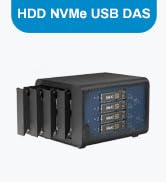
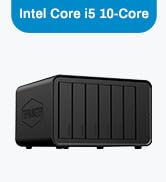
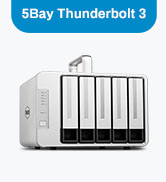
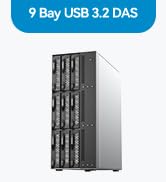
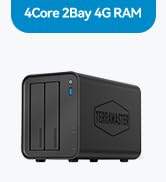
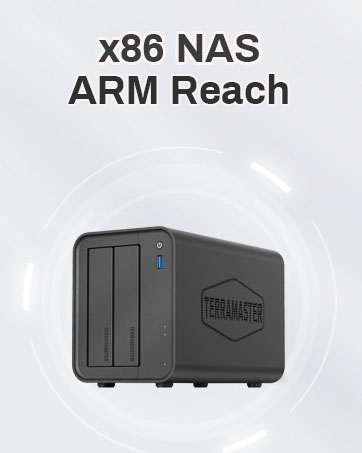
The TERRAMASTER D5 Hybrid NVMe Enclosure is a cutting-edge 5-bay USB 3.2 Gen 2 storage solution supporting up to 68TB of combined SATA and NVMe SSD capacity. Featuring exclusive 2+3 RAID hybrid disk array modes, tool-free drive trays with Push-Lock design, and intelligent temperature-controlled cooling, it delivers a perfect balance of high-speed data transfer (up to 10Gbps) and robust data security for professional-grade storage needs.













| ASIN | B0CR4168M8 |
| Are Batteries Included | No |
| Compatible devices | Linux, Mac, Windows |
| Customer Reviews | 3.7 3.7 out of 5 stars (32) |
| Data transfer rate | 10 Gigabits Per Second |
| Date First Available | 19 Jun. 2024 |
| Form Factor | DAS |
| Guaranteed software updates until | unknown |
| Hard Disk Description | Mechanical Hard Disk |
| Hard Drive Interface | Raid |
| Hard Drive Size | 68 TB |
| Hard disk form factor | 2.5 Inches |
| Item Weight | 1.3 kg |
| Item model number | D5 Hybrid |
| Item weight | 1.3 Kilograms |
| Manufacturer | TERRAMASTER |
| Material | Plastic |
| Max number of supported devices | 5 |
| Operating System | No OS |
| Product Dimensions | 22.2 x 11.9 x 15.4 cm; 1.3 kg |
R**A
Es una aliviané para editar video y audio con los NVMA, transferencia rápida y suficiente, si necesitas más rapidez este no es para ti. Tiene 10gps de velocidad por el USB C- los discos normales para backup son un aliviane.
T**P
I am using this unit on a M4 Max Studio (128 GB/2 TB internal); with 2 WD 8TB drives and 2 990 PRO SSD 2TB PCIe Gen4 NVMe M.2 (not using RAID options). After about a week I noticed that 1 NVME drive would randomly disconnect. I swapped out the drives and tried different cables including an Apple TB 5 cable and I added NVME cooling directly to the NVME wafers but the same thing keeps happening. The WD drives have been very stable but I ended up running the NVMEs off their own connection until I find a better solution. It was nice to see the speed jump of the NVMEs once they got their own connection but I had hoped for more from this unit. I guess you get what you pay for and I regret cheaping out and going this way. Update: (added pics) Couple months on I can still only run 1 NVME. Terra got back to me and said I needed to update the firmware. The link they sent me was for a windows only environment. I asked if they had a Mac friendly version and did not hear back. I also asked if they would be willing to send me a replacement drive. No response. I might try and locate a friend with a windows laptop to see if I can update the firmware on another computer. Like I said i love the idea of these but would not have purchased if I knew this much trouble was coming. Be careful.
G**Y
This is an awesome enclosure. I used for a home server project. Used the RAID feature for backup storage and the NVME for more used server files. Setup was easy, you probably wan to actually read the instructions.
P**R
I ordered this enclosure after another brand/item was DOA. Very simple set up, worked first time. Broadly hassle free. The HDD enclosures are simple to use and the drives slot in and out very easily. The SSD setup is also very simple to set up. I have mine configured as RAID1 on my M1 MBP (MacOS setup using Disk Utility was also straight forward). Runs very quiet. Does what it says on the box. Why not a 5 star review? Well, it’s not the most attractive unit, being just a simple black box. But it’s practical and a good footprint for a desktop unit. The enclosure is all plastic (I think), but doesn’t feel fragile. Could use some additional USB ports. The ‘running lights/LEDs’ are a bit faint and hard to see.
D**C
Failed after a few months of use. Purchased 2 WD Gold 21TB drives. Filled it with NVME. The first issue was one of the NVME would appear and vanish at random. I just stopped using the socket, and now use that nvme in another enclosure, where is works fine. I had the unit set for raid 1. 21TB total. Backups were taking up about 45%, and seemed to be working pretty well until today, and I noticed an orange light on. Thinking there is no possible way one of these enterprise drives would just die, I popped it out, and put it back in. I can see all the files, but when I move them, they start to copy, then the drive just ignores them. No errors. I put the so called bad drive in an external case I had kicking around, and it came up fine, but since the default format is RAW, I can only see the files, and cant move them. I ended up just scrubbing the drive, in order to see if it was really a drive error. NTFS format went fine, ran a disk check sector by sector overnight, and the drive is fine. I can't trust this thing. I even went as far as scrubbing, and adding it back hoping that the drive would rebuild from the 2nd drive. nope.. sad.
Trustpilot
1 week ago
2 weeks ago