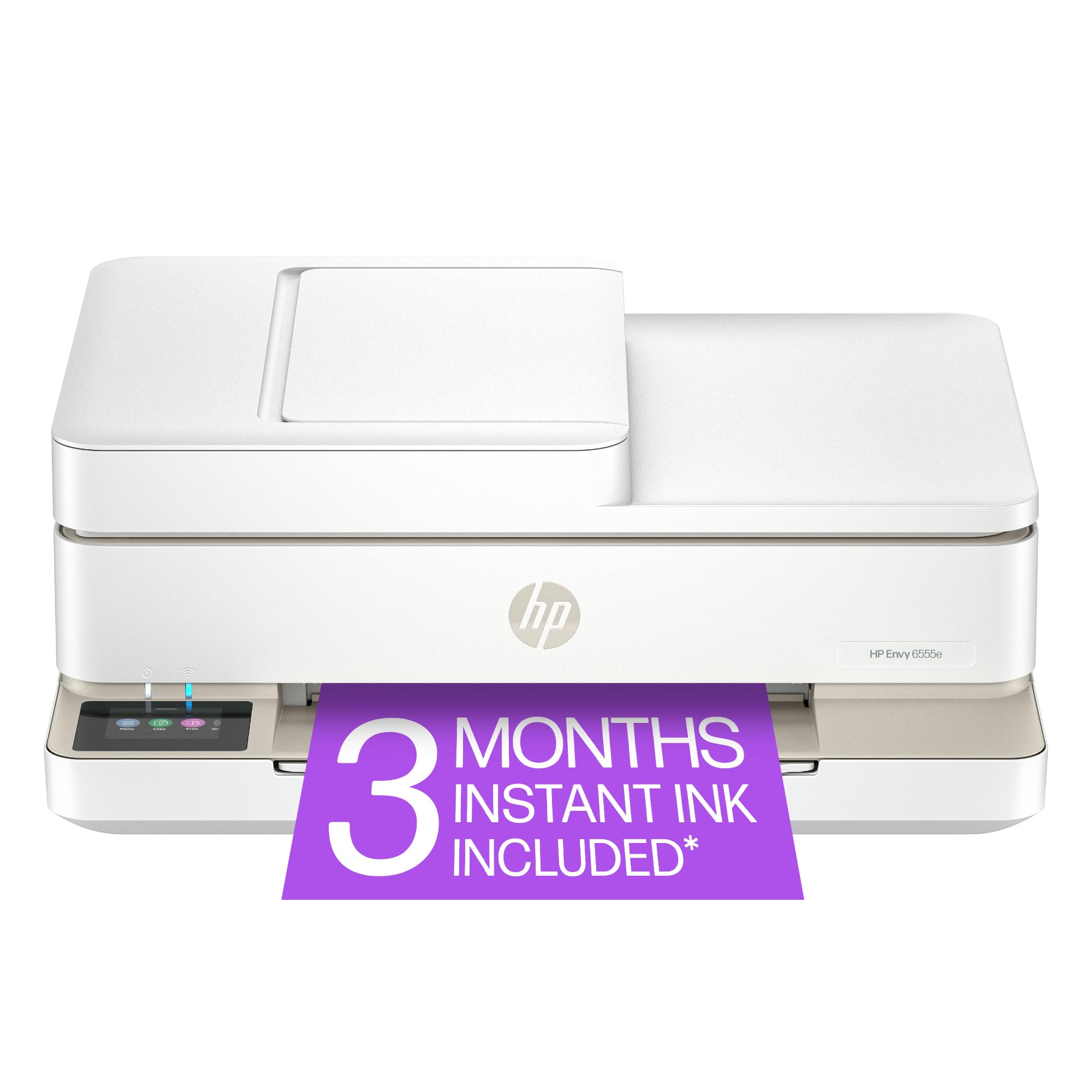
🖨️ Print smarter, live greener, connect faster.
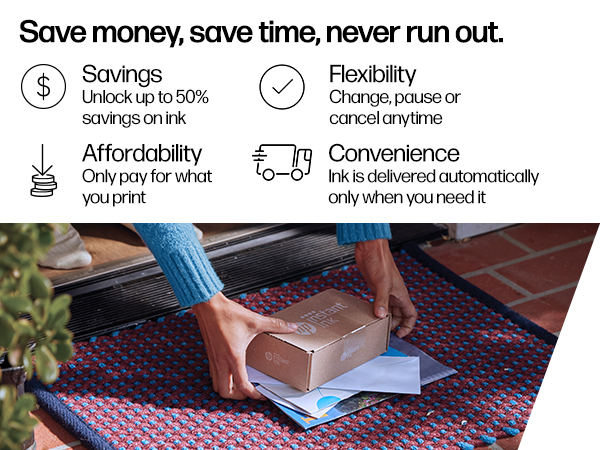
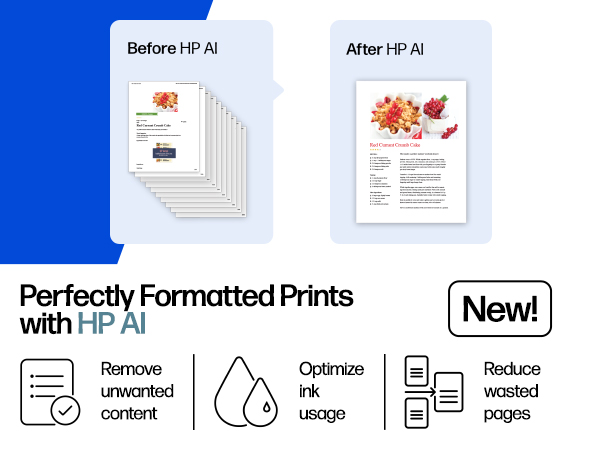
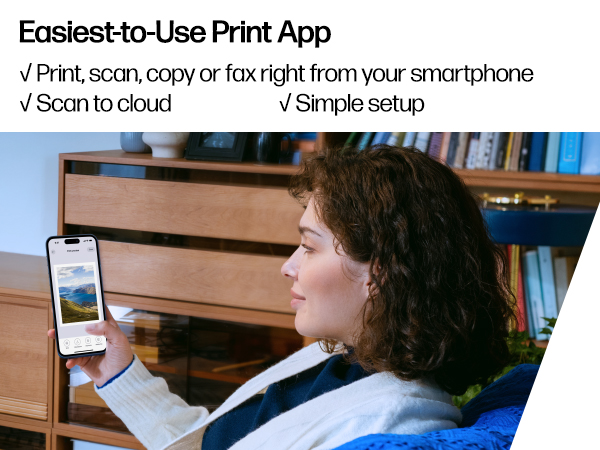
The HP Envy 6555e is a versatile wireless all-in-one inkjet printer designed for home and home office use. It offers fast printing speeds up to 10 ppm in black and 7 ppm in color, with high-resolution output up to 4800 x 1200 dpi for vibrant, true-to-screen photos and documents. Featuring AI-enabled print optimization, a user-friendly 2.4” color touchscreen, automatic duplex printing, and a 35-sheet auto document feeder, it supports seamless mobile printing via a dedicated app and dual-band Wi-Fi. Made with 60% recycled plastic and including a 3-month Instant Ink trial, it combines performance with sustainability.




| ASIN | B0D7KCJT3W |
| Additional Printer Functions | All In One |
| B&W Pages per Minute | 10 ppm |
| Best Sellers Rank | #2,444 in Office Products ( See Top 100 in Office Products ) #15 in Inkjet Computer Printers |
| Brand | HP |
| Built-In Media | HP Envy 6555e All-in-One Printer; HP 68 Setup Black Cartridge; HP 68 Setup Tri-Color Cartridge; Regulatory flyer; Setup guide; Reference guide; Power cord |
| Color | White |
| Color Depth | 24 Bits |
| Color Pages per Minute | 7 ppm |
| Compatible Cartridge | HP 68 Black Original Ink Cartridge (~160 pages yield) 7FP21TN; HP 68 Tri-Color Original Ink Cartridge (~120 pages yield) 7FP20TN; HP 68e EvoMore Black Original Ink Cartridge (~320 pages yield) 7FP22TN |
| Compatible Devices | Laptops, PC, Smartphones |
| Connectivity Technology | 802.11a/b/g/n/ac; Wi-Fi |
| Control Method | App |
| Customer Reviews | 3.9 out of 5 stars 1,646 Reviews |
| Display Type | touchscreen |
| Dual-sided printing | Yes |
| Duplex | Automatic |
| Hardware Interface | USB |
| Initial Page Print Time | 22 Seconds |
| Ink Color | Black; Cyan; Magenta; Yellow |
| Item Dimensions D x W x H | 14.21"D x 17.05"W x 6.73"H |
| Item Height | 6.73 inches |
| Item Type Name | Inkjet printers |
| Item Weight | 13.5 Pounds |
| Manufacturer | HP |
| Maximum Copies Per Run | Up to 99 copies |
| Maximum Copy Resolution Black and White | Up to 300 x 300 dpi |
| Maximum Copy Resolution Color | 300 x 300 dpi |
| Maximum Print Resolution Black and White | Up to 1200X 1200 rendered dpi (when Printing from a computer) Dots Per Inch |
| Maximum Sheet Capacity | 100 |
| Maximum print Resolution Color | Up to 4800 x 1200 optimized dpi color (when printing from a computer on selected HP photo papers and 1200 input dpi) Dots Per Inch |
| Media Size Maximum | 8.5 x 11.7 in |
| Model Name | HP Envy 6555e All-in-One Printer |
| Model Number | 714N5A#B1H |
| Model Series | Envy |
| Number of Drivers | 1 |
| Number of Trays | 1 |
| Other Special Features of the Product | Recyclable through HP Planet Partners; Forest First product with HP+; 60% post-consumer recycled plastic, Wireless; HP+; HP Instant Ink eligible; Print from phone or tablet; Scan to email; Automatic document feeder; Two-sided printing; Touchscreen; Scan to HP Cloud; True to screen photo printing (P3); 5x5 and 4x12 panoramic photo printing; 4x6 double sided photo and card printing; Borderless photo… |
| Output sheet capacity | 25.0 |
| Paper Size | 3 x 5 to 8.5 x 12 in; Duplex:3 x 5.5 to 8.5 x 11.7 in Inches |
| Power Consumption | 4.25 Watts |
| Print media | Envelopes, Labels, Paper (plain) |
| Printer Connectivity Type | 802.11a/b/g/n/ac; Wi-Fi |
| Printer Output Type | Color |
| Printer Type | Inkjet |
| Printing Technology | Inkjet |
| Processor Count | 1 |
| Resolution | 1200 x 1200 |
| Scanner Type | Flatbed |
| Special Feature | Recyclable through HP Planet Partners; Forest First product with HP+; 60% post-consumer recycled plastic, Wireless; HP+; HP Instant Ink eligible; Print from phone or tablet; Scan to email; Automatic document feeder; Two-sided printing; Touchscreen; Scan to HP Cloud; True to screen photo printing (P3); 5x5 and 4x12 panoramic photo printing; 4x6 double sided photo and card printing; Borderless photo printing Special Feature Recyclable through HP Planet Partners; Forest First product with HP+; 60% post-consumer recycled plastic, Wireless; HP+; HP Instant Ink eligible; Print from phone or tablet; Scan to email; Automatic document feeder; Two-sided printing; Touchscreen; Scan to HP Cloud; True to screen photo printing (P3); 5x5 and 4x12 panoramic photo printing; 4x6 double sided photo and card printing; Borderless photo printing See more |
| Specific Uses For Product | Home and home office |
| Total USB 2.0 Ports | 1 |
| Total Usb Ports | 1 |
| UPC | 197029817617 |
| Unit Count | 1.0 Count |
| Warranty Description | One-Year limited hardware warranty with option to extend to two-years with acceptance of HP+ Offer. For more info please visit us at support.hp.com . |
| Warranty Type | One-Year limited hardware warranty with option to extend to two-years with acceptance of HP+ Offer. For more info please visit us at support.hp.com . |
| Wattage | 100 watts |
D**A
Great little WIRELESS printer, easy set up too.
Good little desktop printer. Setup was the easiest I've ever done. Packaging was really well done, thank you! Wireless and I love that! Phone app was very easy to use and understand. I could see on my phone the photo or document I needed to print and I liked that. I use my smart phone for about everything these days so I liked that I can pull up my email and print from my phone a file sent to me in an email without having to boot up my laptop! I was a bit surprised that it had photos and PDF files as the only two print options, but the help support documents tells how to handle files other than jpg or PDF. One thing I would love to see is a port for a SD card from my camera to scan and save or print photos and documents. There is USB port in the back near the power cord plug in. My old printer had the ports in the front. Not critical, just different than what I'm accustomed to. I like the wireless feature a lot more. For the amount I spent, VERY reasonable and does everything I need. It's quiet, works well, prints nice copies in either black and white or color. The little touch screen menu is very easy to use and read. I appreciate that too. I can read it without my glasses 😆. I'm very well pleased with the printer, functions, and price. I'd recommend it as a nice little desktop printer. It doesn't take up a lot of space and is perfectly fine for my needs.
J**B
Nice printer
Works well but took some time to get everything working
J**S
Buy this printer or use HPs instant ink and you will live to regret it.
Response to HP’s Inquiry About My One-Star Rating You asked why I gave HP customer service a one-star rating. I suggest you read my original review—but since you’re asking again, I’ll spell it out. I am an 83-year-old widow living on Social Security. I purchased the HP Envy 6555e printer to print family photos. Instead, I was handed a mess: • Setup was a nightmare. It took hours of trial and error to get the printer working. I followed every instruction. It was practically impossible. • It worked for one week. Then HP sent the wrong ink cartridges. Your Instant Ink service failed, and your support team couldn’t fix it. • I now own TWO brand-new HP printers. Neither works. Why? Because your customer service refused to send a local return code. Instead, you expected me to drive 35 miles into city traffic. That’s not just inconvenient—it’s dangerous. • You kept my money. You offered no solution, no empathy, and no accountability. I’m left with broken equipment and no recourse. If you truly want to understand why I’m unhappy, start by acknowledging this: HP made it impossible for me to use the product I paid for. You made it impossible to return it. And you made it impossible to trust your company again. I don’t have money to throw away. I don’t have the ability to drive into city traffic. I don’t have working printers. What I do have is a voice—and I’m using it to warn others. HP makes junk. HP makes promises it doesn’t keep. HP leaves vulnerable customers stranded. That’s why you got one star. You earned it. Dear HP Customer Support, I am writing to formally express my deep dissatisfaction with a recent series of experiences involving two HP printers—an Envy 6555e and an Envy 6110r—and the Instant Ink program. What began as a routine setup has devolved into a costly and inaccessible situation that I am unable to resolve without assistance. Summary of Issues: - I purchased the HP Envy 6555e and enrolled in the Instant Ink program. After one week of successful use, the program sent incorrect cartridges, which damaged the printer and rendered it unusable. - In the process of trying to resolve this, I inadvertently ordered the HP All-in-One package, which included the HP Envy 6110r. I attempted to cancel the order immediately, but it was processed and shipped before cancellation could take effect. - I tried to return the HP Envy 6110r using the label provided by HP, but my local offices refused to accept it. I was told I would need to travel 35 miles to a special FedEx location. As someone who does not drive, this is not a viable option. - I have now canceled my HP account, which prevents me from setting up the second printer. I am left with two unusable devices—one broken, one blocked—and no accessible path to return or resolve either. Request for Resolution: I respectfully request that HP provide a return solution that does not require travel, such as a scheduled pickup or alternate drop-off location within reach. Additionally, I ask that HP either replace the damaged HP Envy 6555e or offer a refund, given that the damage was caused by incorrect supplies sent through your own program. This situation has caused significant stress and inconvenience. I trusted HP to deliver reliable products and support, and I hope you will take this opportunity to restore that trust. Sincerely, Kathleen Coffey Grants Pass, Oregon
M**Y
Good print quality, difficult to set up, uses a lot of ink.
Great little printer in that it prints high quality pages and works quickly, quietly and efficiently. It was a little difficult to set up because it only connects via bluetooth, you cannot use a cord. Also we have two router units in the house so two different wi-fi addresses. The printer will not print from my husband's laptop because he uses a different wi-fi address. There are codes to get around this but they won't work. I am very tech savvy too so it's not me. Lastly, it is an INK PIG and uses a lot more ink that any printer I have ever owned despite my settings. Otherwise I am happy with it, not thrilled.
W**A
Very easy to set up!
I bought this printer to replace the HP printer that lasted 14 years for home use! I researched other brands, read multiple reviews and consulted my tech savvy oldest son prior to the purchase. I was a little nervous about setting it up myself because I am not tech skilled and my son lives several hours away. He assured me that I could do this. I proudly texted him that it only took me 45 minutes from unpacking the printer to printing the first document from my phone! I love the latest features, too.
B**L
Easy set up and works with no problems.
I am really liking the fact that I can print on both sides. The printing is good and obviously saves extra paper,
D**B
So Easy!
This lil All in One home office printer is perfect for me! It was so easy to set up and that's saying something coming from tech challenged me-lol. Easy to read display and easy to use. Can't tell the copy from the original. I have also printed a couple of photos using hp's photo paper and they came out pretty good. So far no fading or bleeding. Output for all functions is a lil slow but that's not an issue for me. It appears to be well made but I haven't had it very long either. However, so far I'm pretty pleased with this purchase.
A**R
Cloud dependent architecture
Pros: - Quality printing at a much more decent speed than its predecessor - mobile to print functionality with HP Smart - Scanner is a great addition, produces quality color/BW copies. - easy to use touch screen display panel Cons: - The output tray is not automatic like the previous model, manual intervention is needed - very dependent on internet connectivity for activation and printing not ideal for air gapped network environments - Big time loss on LAN printing, no open ports for printing on LAN network, which means we have to print via airdrop, WiFi-direct, USB cable connection, or through the cloud!!?? - Very dependent on air drop, WiFi-direct, and cloud based printing, but no basic LAN printing??? Very inconvenient for SoHo and very dependent on the cloud app. - No scanning functionality with the HP Smart App if accessing through the cloud. Only works via Wi-Fi Direct, USB, and possibly air drop. Very backwards thinking here. Conclusion: - Overall, I do like the AIO functionality as it’s scanner and mobile printing is always needed in my household. The printing quality and speed is slightly better than old Envy 4520. However, the ball was dropped when I learned that this printer is heavily dependent on the cloud. From activation to printing, it’s tied to that HP Smart App. The basic LAN network printing is gone due to some security policy we the consumer don’t have access to. It’s a cloud-locked printer that overshot the landing. At the end of the day, you get what you pay for. I’ll be investing in Brother printers after my patience runs out.
Trustpilot
1 week ago
2 weeks ago



