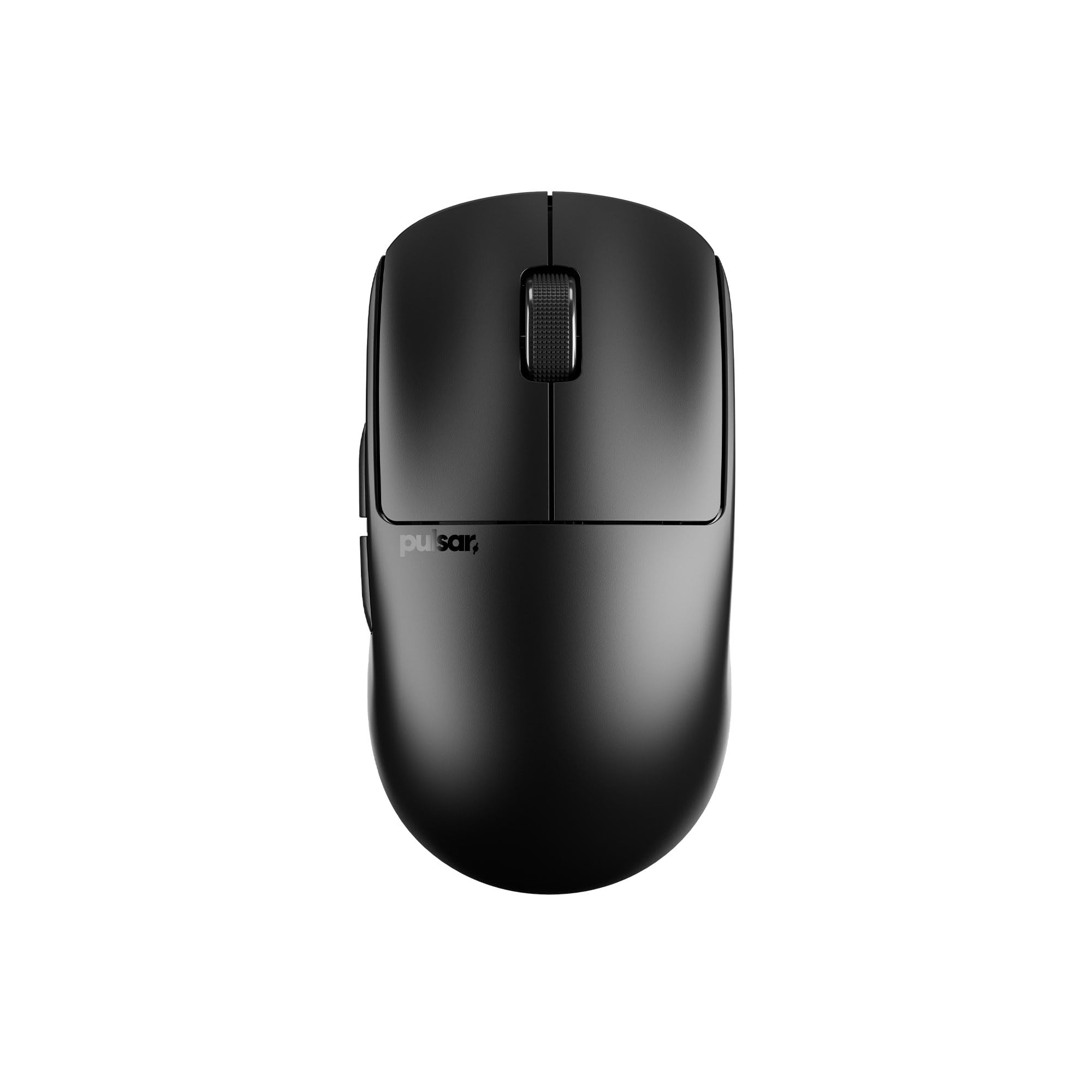
🖱️ Glide like a pro, win like a legend.
The Pulsar X2 Crazylight Wireless Gaming Mouse redefines ultra-lightweight design at just 35g, combining a flagship XS-1 sensor with 32,000 DPI and 750 IPS for unmatched precision. Its 8K polling rate delivers lightning-fast responsiveness, while durable optical switches and customizable settings ensure a tailored, reliable gaming experience for professionals and enthusiasts alike.


| ASIN | B0DVXCYJHD |
| Item model number | PX2CL107 |
| Manufacturer | AplusX Inc. |
| Package Dimensions | 19.61 x 15.09 x 7.39 cm; 340 g |
M**D
Great value at this price!
The Pulsar X2V2 is a solid pick at this price. The Ninjutso Sora V2 is perhaps its biggest rival, but they trade blows. The Pulsar comes with the PAW3395 sensor, optical switches, and support for 4000hz polling rate. Similarly, the Ninjutso comes with the PAW3395 and omron optical switches as well, but it boasts support for up to 8000hz polling rate. Ultimately, it will probably come down to shape and availability. I personally prefer the Sora V2, as it feels more natural with a more defined claw grip. The Pulsar X2V2, on the other hand, acts as a sort of budget GPX Superlight, having a really well-rounded shape that's decent for any grip. I didn't really experience any issues with the Pulsar X2V2. However, I disliked the sharp side buttons; I prefer the ones on my GPX Superlight. If you have a larger hand size, I would suggest looking into the Razer Viper V3 Pro. Alternatively, I do believe the Superlight 2 is the better option if you have the money to spare. In conclusion, the Pulsar X2V2 is a value king, and it's hard to find any other options so available in this price range. If you're looking for something high-end on a $100 budget, you should definitely consider the Pulsar!
花**花
小ぶりで本当に軽い! とても使いやすいし、耐久性も高い
O**R
Muy buen mouse con un increíble tiempo de respuesta, con el dongle si bien da un polling de 1000, la sensación es de un mouse mejor. El tamaño es correcto para una mano de tamaño regular y el material aunque se siente ligero, es de buena calidad y aguante. Tras meses el color blanco no ha desaparecido y en modo inalambrico dura una eternidad.
T**S
Lightweight, sturdy, USB C with crisp clicks, and most importantly the perfect shape for a mix of claw-palm grip. I upgraded to this from the regular x2 medium, so there were only small changes, but they made a difference. My only criticism is a tiny amount of pre-travel on the clicks, but not noticeable when using the mouse.
A**.
Very noice mouse. Better quality than logitech. Battery life around 2 weeks, but cable is so soft, rhat u wont feel it when its connected.
D**I
Como persona zurda, me resulta complicado encontrar ratones con botones en el lado derecho que tengan cierta calidad. Este Pulsar Gaming Gears X2A ha sido toda una sorpresa. Aunque se publicita como un modelo gaming, es muy discreto; cuenta con un único LED en el lado izquierdo personalizable en color e intensidad (o se puede apagar por completo). El tamaño es ideal, ni grande ni pequeño, con un buen agarre y extremadamente ligero. Si prefieres los ratones pesados, definitivamente este no es tu modelo. Vengo de un Razer Viper 8KHz que me duró varios años (incluyo fotos). En comparación, el Pulsar me resulta más cómodo y se siente más robusto que el Viper, el cual crujía desde el primer día. Además, se agradece el empaquetado sencillo y sin excesos. El cable tipo cordón es increíblemente ligero y flexible. Al ser USB-C, es muy fácil de sustituir en caso de necesidad. Una vez conectado, queda firme y sin riesgo de desconexión accidental al moverlo por la alfombrilla. En cuanto a la personalización, el software Pulsar Fusion Drive es muy completo y sencillo de usar. Ofrece cinco perfiles donde podemos configurar la asignación de cada botón, los DPI, shortcuts, macros y más. Un detalle clave es que cuenta con memoria interna, por lo que podemos mover el ratón a otro ordenador y disfrutar de nuestra configuración sin necesidad de instalar el software en cada equipo. Esto es extremadamente útil si, como yo, utilizas un KVM externo para controlar varios PCs. Como puntos negativos, señalaría el precio y lo fácil que se marcan las huellas dactilares en la superficie. En definitiva: muy recomendable.
Trustpilot
3 weeks ago
2 days ago



